19
18
Figure 27
We suggest to use this mode if you work with the sorter continuously and do
not switch frequently between different modes.
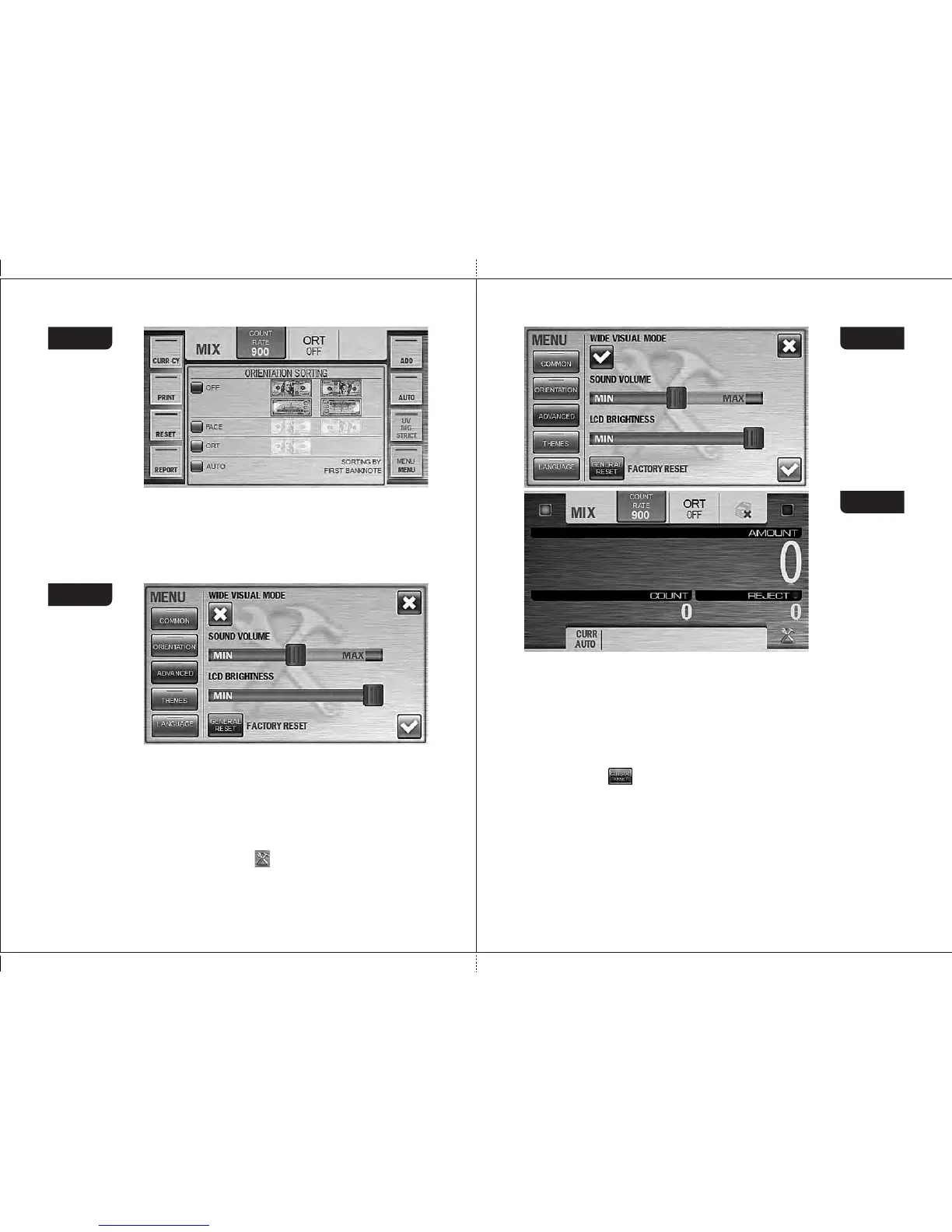
When Wide Visual Mode is activated (see Fig. 28), the hot keys by the
sides of the screen are removed and the font size for amount of counted notes
become bigger (see Fig. 29).
To get an access to the menu, press the key. To recall the hot keys by the
sides of the screen, press the middle area of the screen; a repeated pressing
will hide the keys again.
WIDE VISUAL MODE
DORS 800 BANKNOTE SORTERDORS 800 BANKNOTE SORTER
LCD Brightness
Moving the slider from the minimum (MIN) to the maximum (MAX), you
increase the brightness of LCD screen (see Fig. 28).
Figure 29
3 Submenu «ADVANCED»
It contains the settings of brightness and the sound volume as well as
selection of the Wide Visual Mode and Factory Reset button (see
Fig. 27).
Figure 26
SOUND VOLUME
Moving the slider from the minimum (MIN) to the maximum (MAX), you
increase the sound volume (see Fig. 28). At extreme left position (MIN), the
sound is off.
Figure 28
FACTORY RESET
After the key is pressed, all the current user’s settings are reset and
the factory settings restored (see article 2 of section «Operation»). To exclude
an accidental reset of the settings, you will be asked to confirm it (see Fig. 47).
Attention: the settings are resetted only for the current user, while the
settings of another user remain unchanged.
4 Submenu «THEME SELECTION»
You can choose one of the preset themes of graphic user interface (GUI).
Chosen theme is marked by blue check-box at the left of theme
(see Fig. 30).


 To Next Page