2120
Figure 31
1. Keys and (START, USER PROFILE SELECTION,
USER SELECTION)
1.1 The sorter is able to save two various profiles with the unique settings.
You can switch between them by pressing keys «I» and «II» (see
Fig. 3).
The profiles may be used by one user or by two users (it's the operation
mode «Two tellers»).
According to the tasks to be solved and personal preferences, each
user has possibility to choose any setting and any counting/sorting
mode.
WIDE VISUAL MODE
DORS 800 BANKNOTE SORTERDORS 800 BANKNOTE SORTER
Green highlight
Figure 33
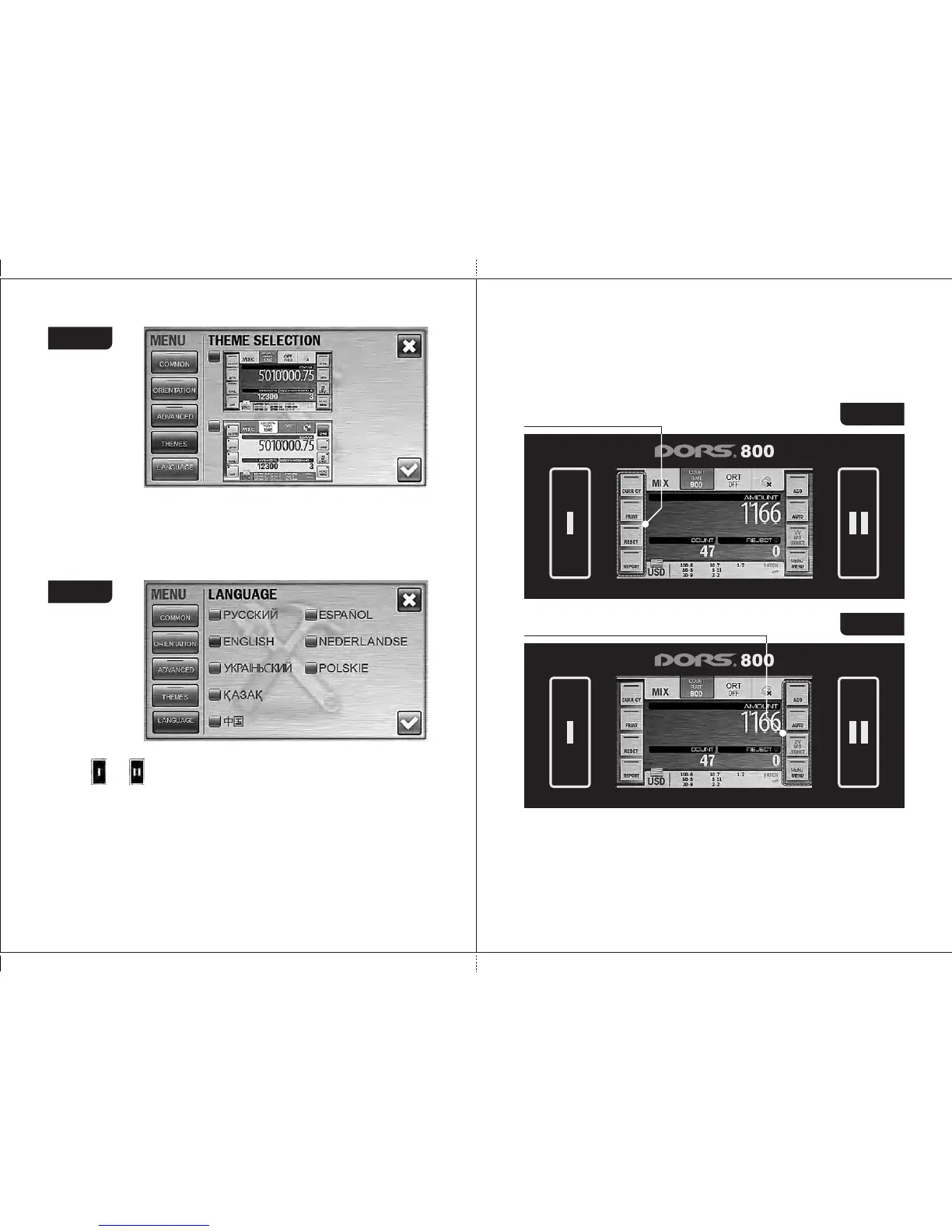
In the Wide Visual Mode, the highlighted parts are not only the active
user's key but also the check-box in the upper corner of the screen.
The figures given below show the control panel appearance for various
users: at Fig. 34 is for 1st user (I), at Fig. 35 is for 2nd user (II).
5 Submenu «LANGUAGE»
You can choose one of the preset languages. To select the language, press
its name. The check-box at the left of the chosen language became blue
instead of grey (see Fig. 31).
Availability of the certain languages is depended on the software version
of your sorter.
Green highlight
Figure 32
Figure 30
Indication of the selected profile is depended on the main screen's
visual mode.
In the standard visual mode, the operating keys next to the
active user key are highlighted in green. The figures given below show
the control panel appearance for various users: at Fig. 32 is for 1st
user (I), at Fig. 33 is for 2nd user (II).



 To Next Page