26
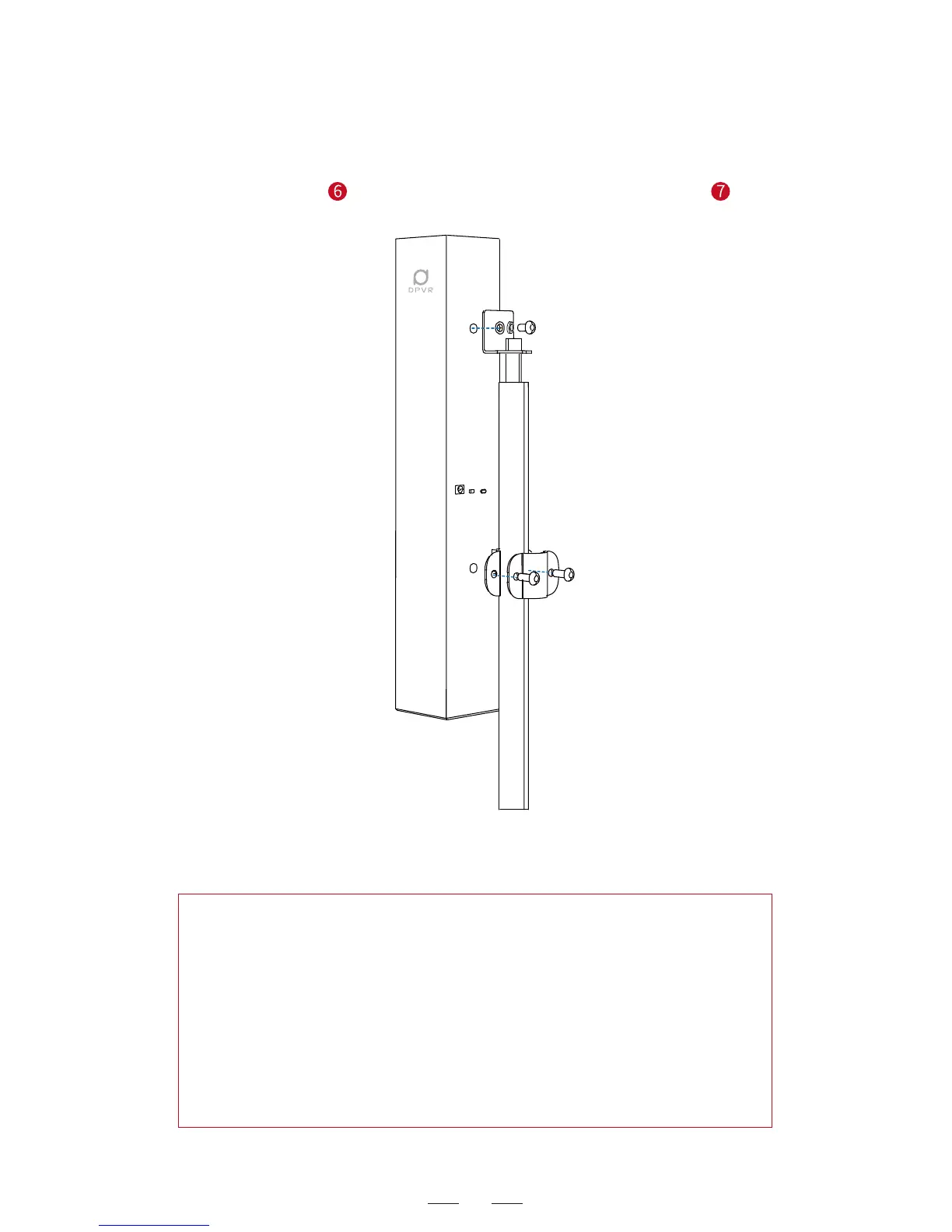
Step ⑥: Use the hexagon socket L-type spanner to mount the tripod
lower support 2 and the Hexagon socket head cap screw 2 , as
shown below.
Hint on Polaris base station setup:
1. Arrange the items within the gaming zone to ensure the gaming
zone is within the coverage of the base station and free from any
blocking.
2. The end with DPVR printed is the upper end of the base station.
Do not mount the base station upside down.
3. Choose a stable tripod to mount the base station to minimize the
vibration of the base station and enhance the positioning precision.
Contact the DP service on the official website for more information
about the tripod.



 To Next Page