19
Load base station parameters
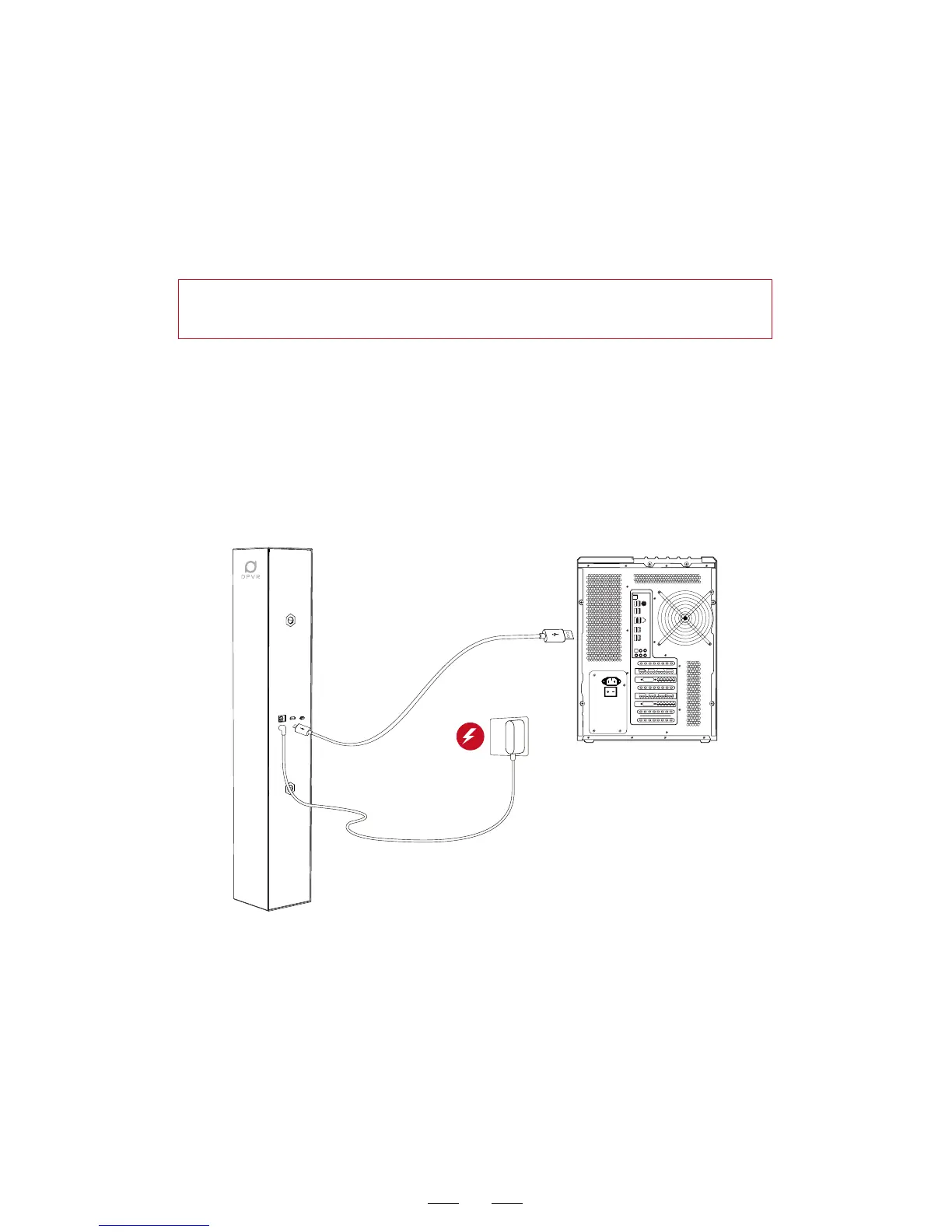
1. Take out the Polaris base station, base station power adapter,
and USB to Micro-USB data cable from the package (the controller
USB cable can be used as well).
Put the base station on table stably and power on the base station
by using the provided power adapter.
Use the USB to Micro-USB data cable to connect the computer USB
interface and base station USB interface.
When the firmware upgrade is completed, upgrade the controller
as well to achieve the best VR experience. If the firmware upgrade
failed, click that button to try once again.
2. Choose Single Base Station (180° visual field) or Dual Base
Station (360° visual field) as required.
Hint: During the process of parameter loading, do not unplug any
cable to avoid firmware error.



 To Next Page