53
What to do if “USB disconnected” is shown in the Device
Connect of the DpnAssistant?
• Check if the system is installing the USB driver. Wait till the
installation is completed.
• If the detection fails after complete driver installation, try another
USB interface.
• Quit the DpnAssistant. Wait for 5 seconds and then restart the
DpnAssistant.
• Restart your computer.
Is it possible to play the VR audio from the computer at the
same time?
You may copy the audio of the E3 into your computer. You may use
another earphone or speaker.
1. Open the Steam VR application on your computer.
2. Click and choose Setup -> Audio.
3. In the drop-down list for mapping audio into the following
device, choose the audio device to send additional audio.
What to do when no sound is heard by using the audio
cable?
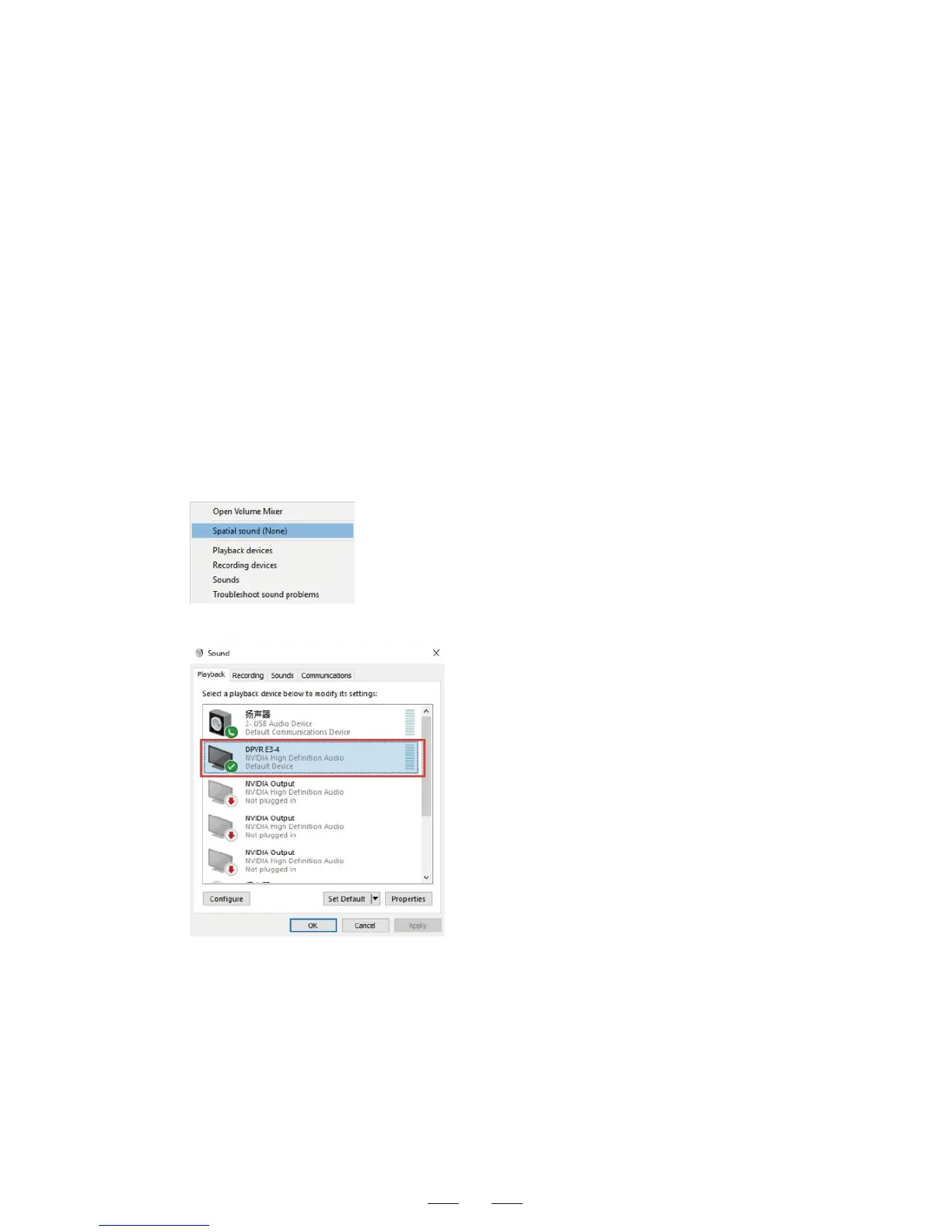
• Right-click the sound icon on the bottom-right corner of the
desktop to turn on the playback device.
• Click DPVR E3-4 and set it as default in the right-click menu.



 To Next Page