27
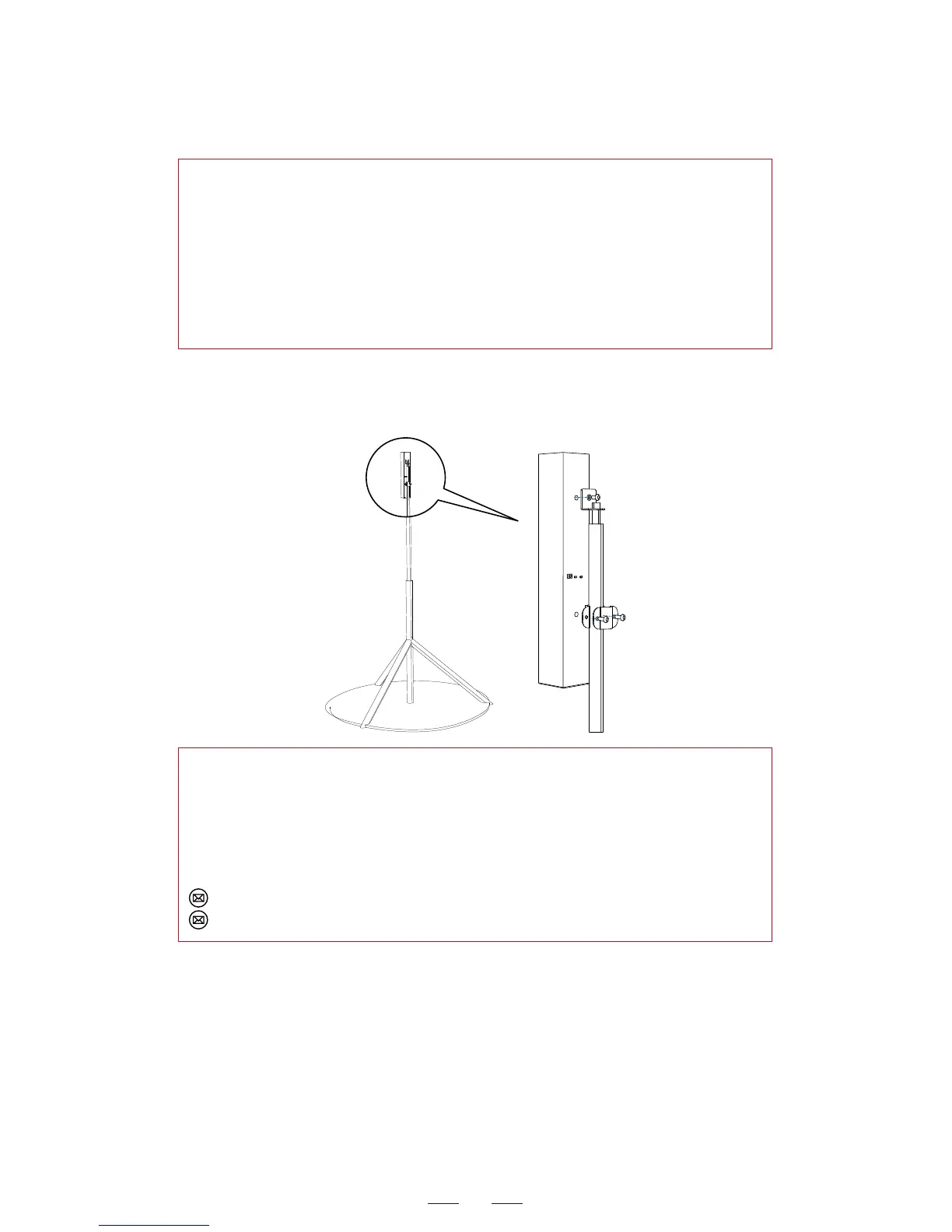
Illustration of the Polaris base station mounted on the tripod
upside down:
4. For standing posture, the recommended tripod height is the
shoulder height (about 1.5 m) to achieve the best coverage range.
For the other usage scenarios, decide the mounting height
according to the motion range of the controller.
5. Adjust the orientation of the Polaris base station so the front
panel is facing to the center of the gaming zone.
6. After the base station is mounted completely, remove the
protective film from the front panel of the base station.
Other special mounting method:
In addition to the tripod mounting upside down, the Polaris base
station can be mounted in horizontal or inclined position, which is
applicable for professional users.
For mounting issues, please send e-mail to the Offical Service or
contact the local sales agent.
Offical Service: service@dpvr.cn
Salesmarketing: salesmarketing@dpvr.cn
Pairing the polaris controller and upgrading the controller
firmware
Pairing: Be sure that the controller is turned on (not in standby
mode). Use the USB cable to connect the controller and computer
and follow the on-screen instructions for pairing via cable.



 To Next Page