34
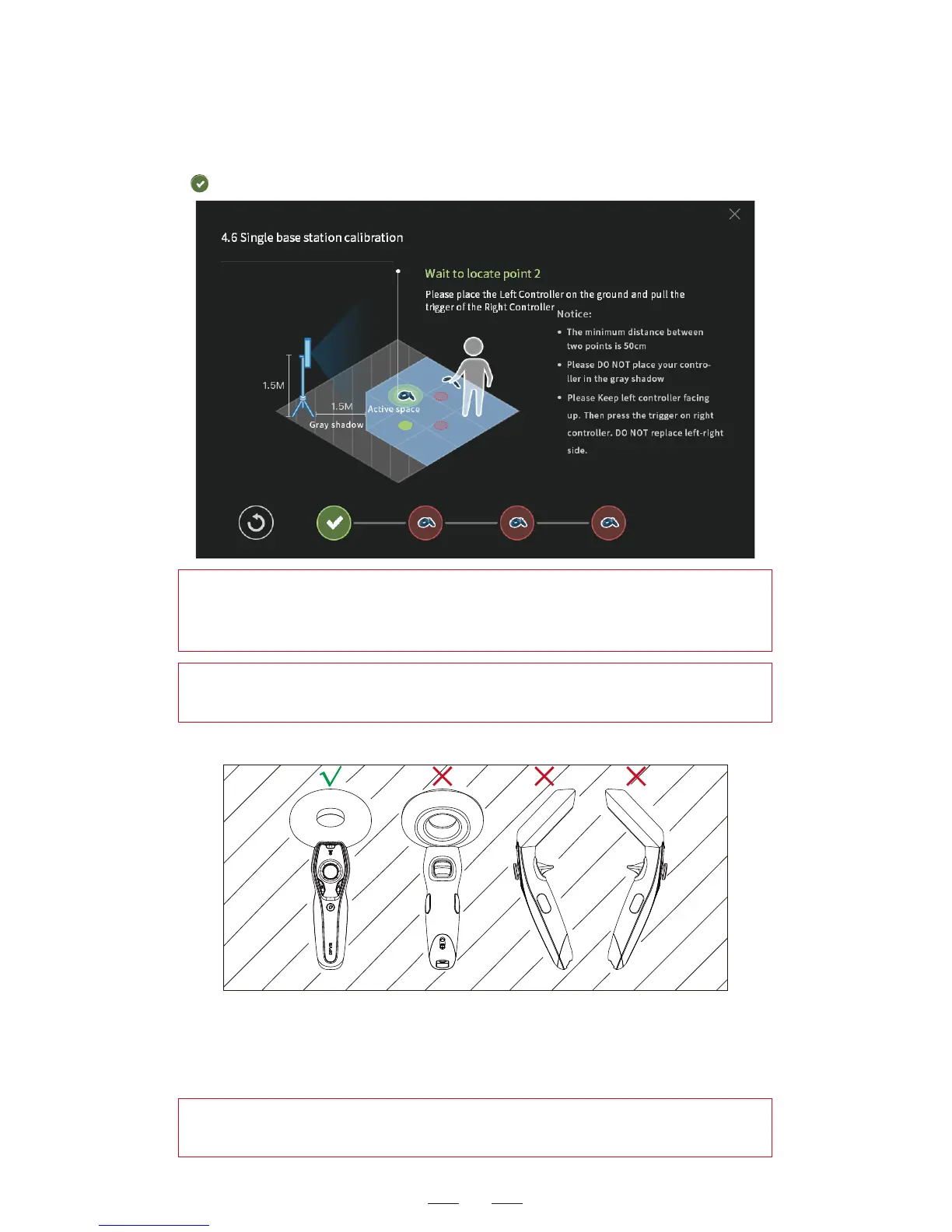
Face up Down side Roll over Roll over
2. Wait patiently until the first circle at the bottom has a tick symbol
. Move the controller to another point to continue the calibration.
Controller placement on the ground:
During the calibration described below, when the controller needs
to be placed on the ground, it shall be placed facing up, as shown
in the first image above. The other gestures ‒ inversion, side up or
tilting—are wrong.
Controller placement
Hint: If any prompt in red appears, it indicates the points are too
close to each other. Change the point location till the calibration
succeeds for that point.
Hint: If a pop-up window appears indicating multiple positioning
failed, choose to restart or try to continue the calibration.
Hint: The above placement is applicable for the calibration of single
base station and dual base stations (without the use of calibrator).



 To Next Page