5
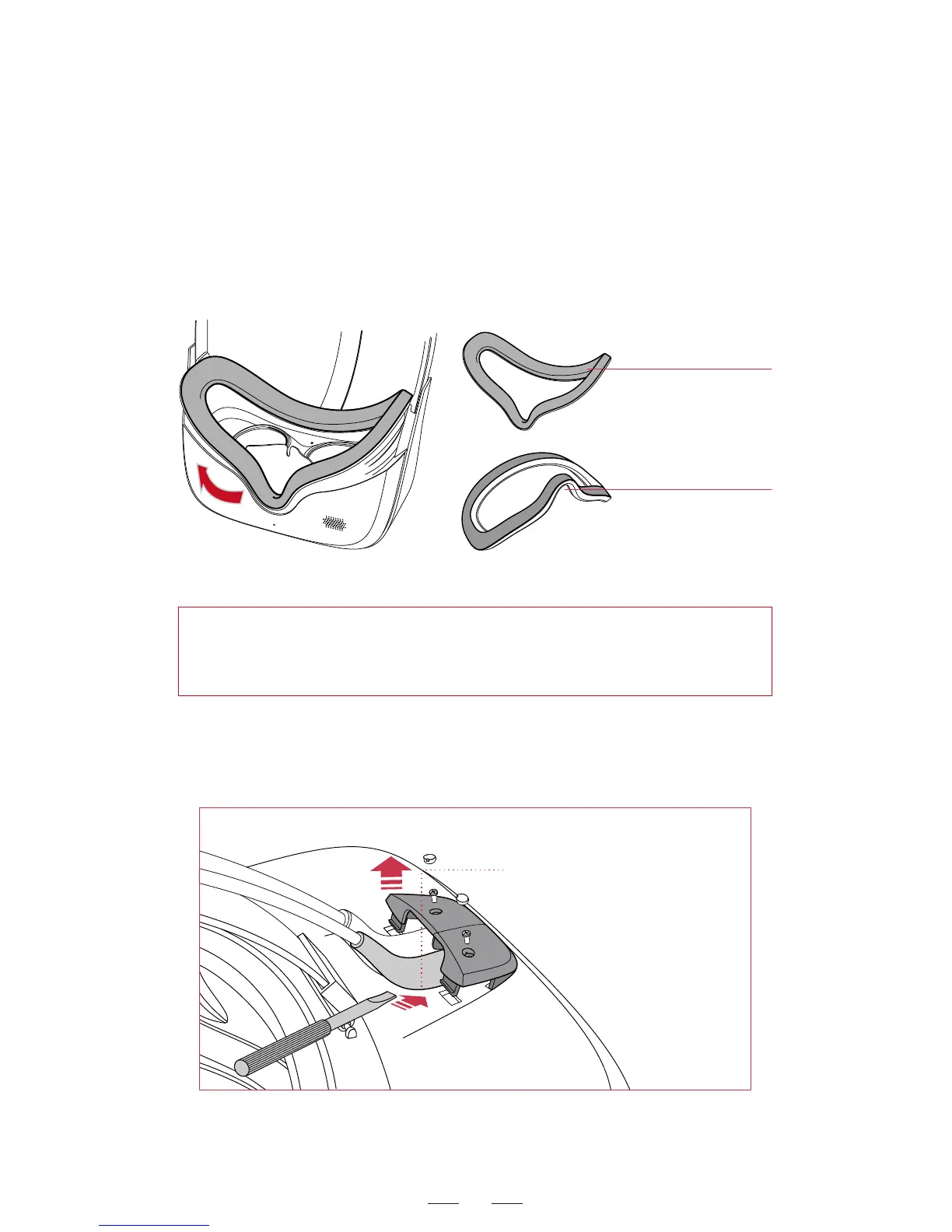
Facial contact surfece
HOOK&LOOP
The cable cover contains screw
tighteners!Pry the screw stud
and remove the screws with a
screwdriver. Insert a straight
screwdriver beneath the cable
and prize up the cable.
Warning: Products from different batches may need different cable
replacement methods. If the cable cover has screws, unscrew the
two screws first with a screwdriver before removing the cable cover.
Replacement for helmet cables
For headset with screws: To replace the 3-in-1 cableor audio cable ,
firstly unscrew the screws, prize up the cable cover by using a small
screwdriver, draw out the old cable and insert a new one. Finally
resume the cable cover and tighten the screws.
Replacing cable step 1
After use for a long time, the facial foam may be worn and needs to
be replaced when necessary.
1. Peel off the facial foam gently from the nose area.
2. Install the new facial foam as shown in the figures below and press
it gently onto the headset.
Replace the facial foam



 To Next Page