DQ Technologies, Inc., phone: 512.248.8324 - www.dqtech.com
22
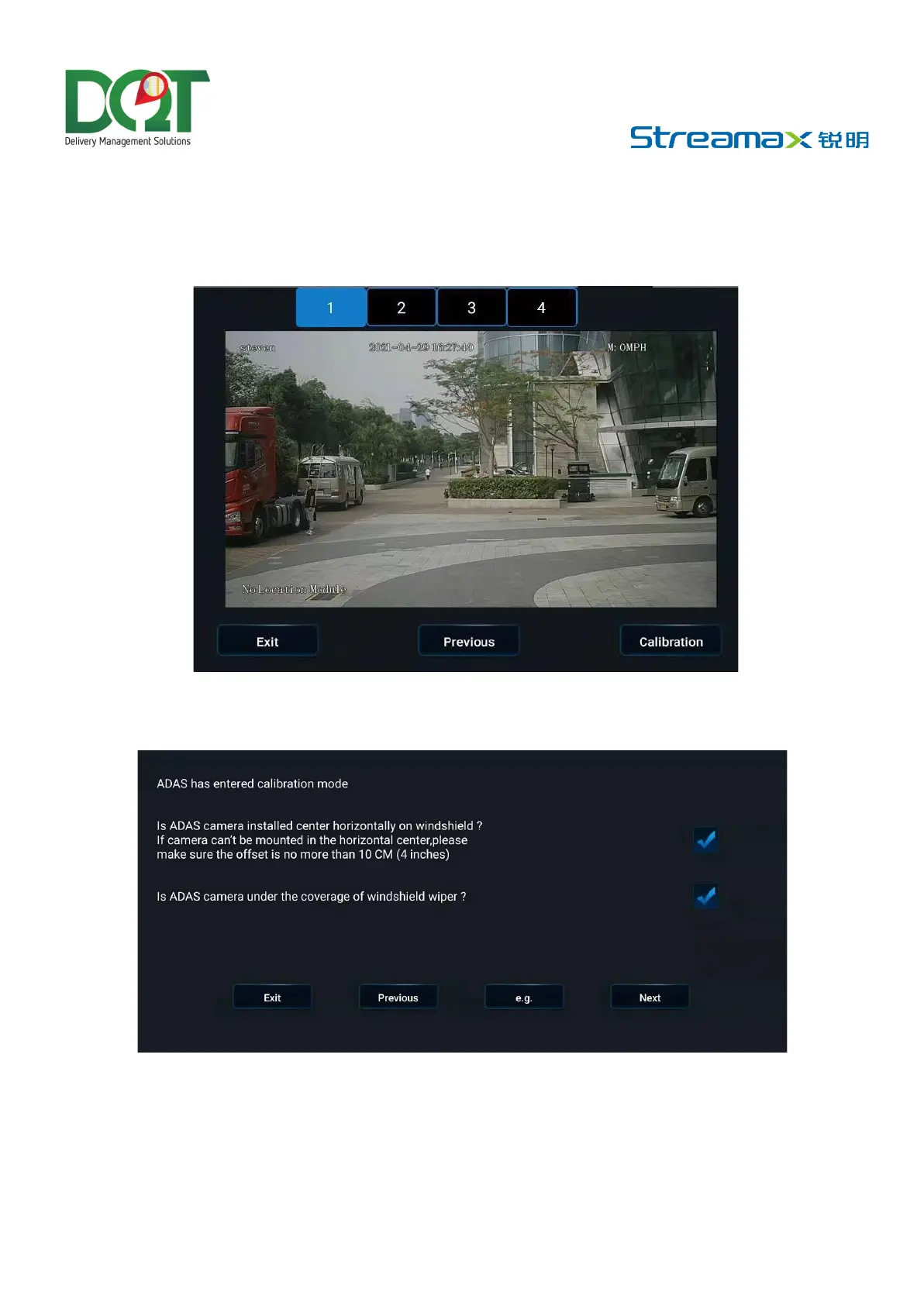
• Select the calibration channel. ADAS cameras are all installed on Channel 1, so
select Channel 1. Then, tap Calibration at the lower-right corner of the screen to
enter the calibration process
• Confirm that the ADAS is installed at a proper position of the front windshield and
within the working range of the wipers, and then tap Next



 To Next Page