11
English
10
Operation
6.1 Getting Started
After your receiver is powered on, proceed with installation as follows :
(1) Installation Wizard
1) A/V Output Setting
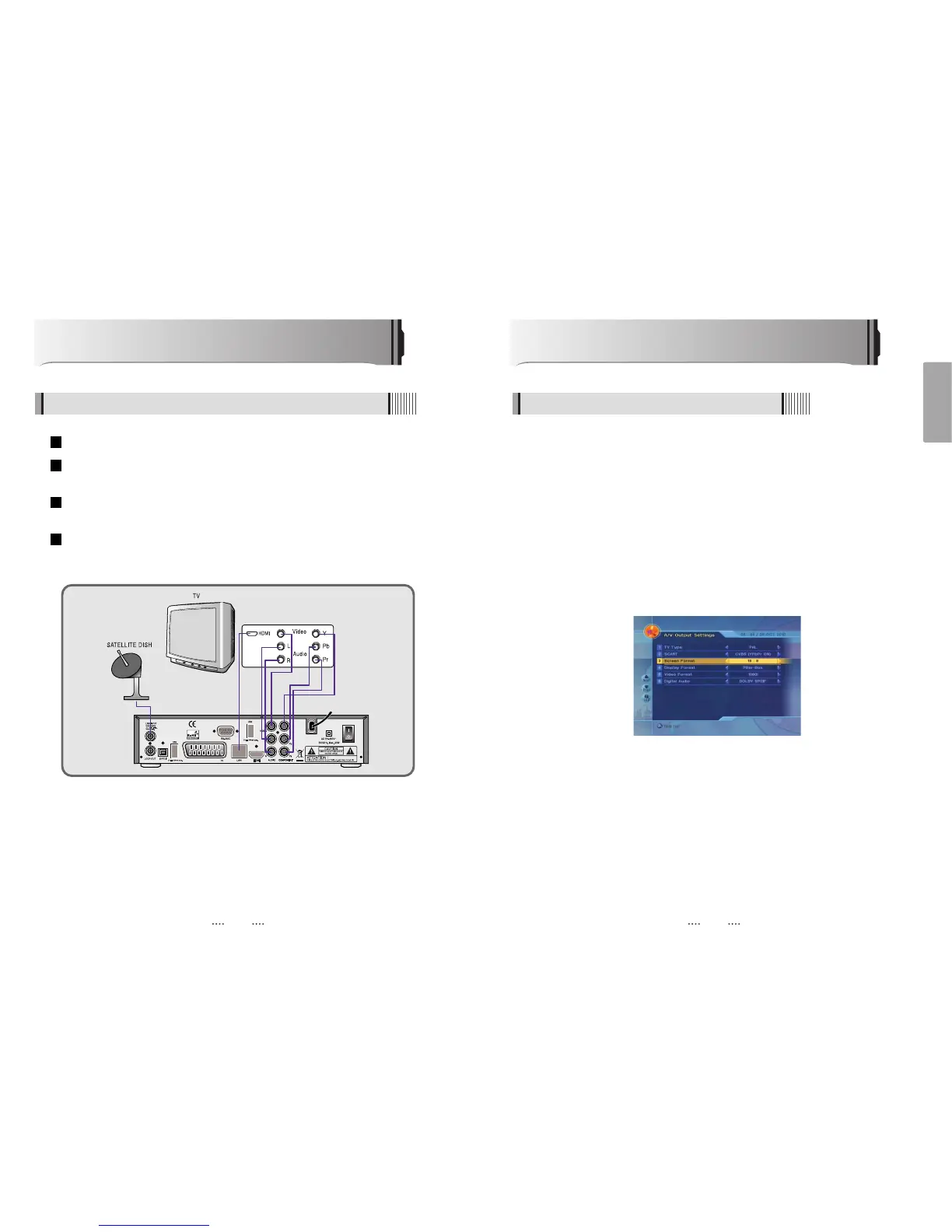
This sub menu allows you to set audio/video output setting. <Figure 6-1-1>
- SCART : Select the SCART output. (CVBS/RGB)
- Screen Format : Select the screen format. (16:9/4:3)
- Display Format : Select the TV aspect ratio(Full Screen/Pillar Box, Letter Box/Pan Scan)
- Video Format : Select the Scanning type(Interaced, Progressive)
- SPDIF : Select the Audio output type (Dolby/PCM)
<Figure 6-1-1>
How to Connect
5.1 When Connecting IRD to TV with AV connectors
Connect the TV antenna to TV ANT IN
Connect the Video and Audio of TV to the Video and Audio. Connect Red and White
connector to Audio R and Audio L, and Yellow into Video port respectively
Connect the Component Video of your TV to Component Video for best quality: connect
the Y, Pb and Pr of your TV to Y, Pb and Pr respectively
Connect your satellite dish
4
3
2
1



 To Next Page