53
English
52
6.9 PVR
ᶀ Edit Menu
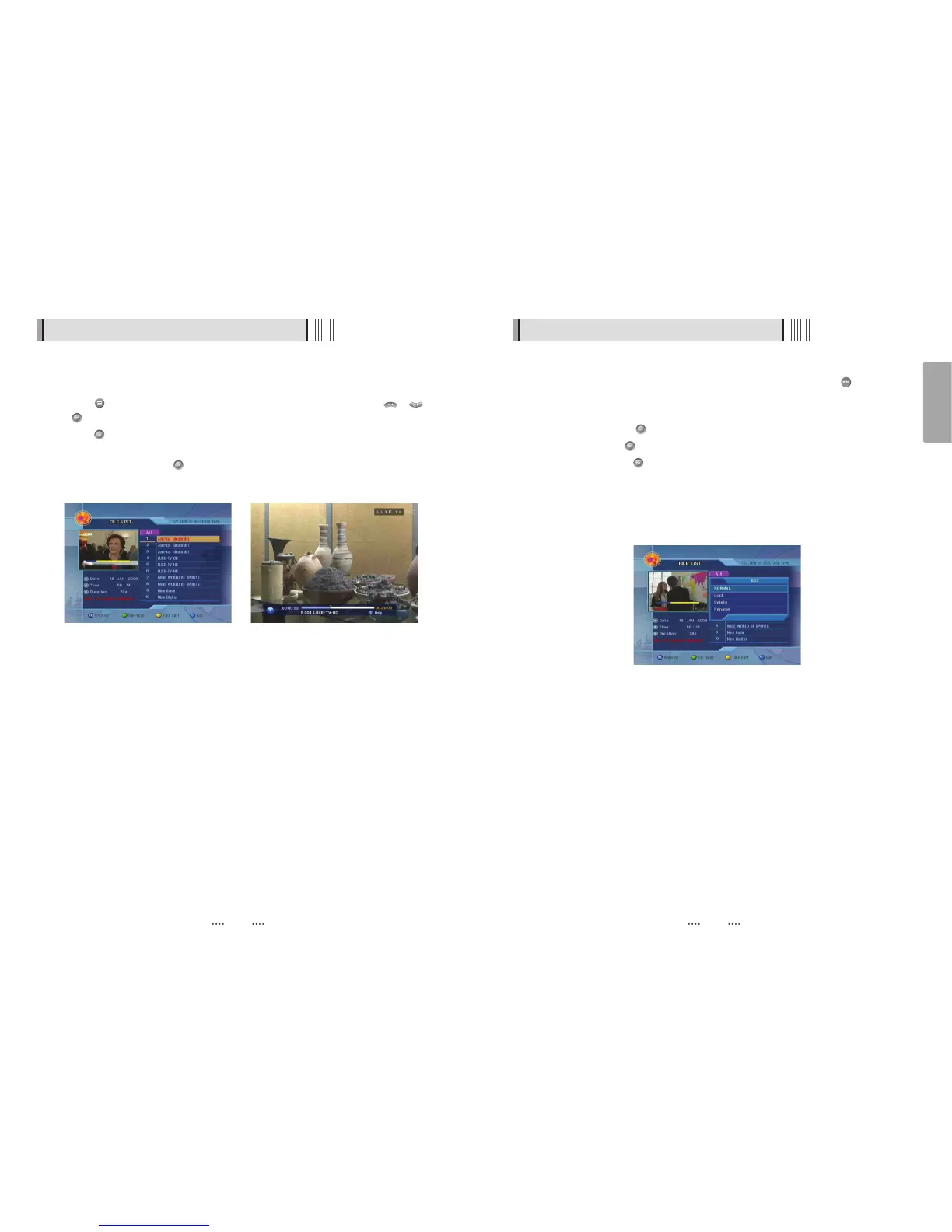
You will be asked to enter a password whenever you try to enter it. Press . The pop-up
menu for selection will appear<Figure 6-9-3>.
Select the item that you want to edit, and set its parameters as desired
⊹ Normal Mode : Press on the file that you can see the preview of a selected file.
⊺ Lock Mode : Press on the file that you want to lock/unlock.
Delete Mode : Press on the file that you want to delete.
- GREEN : Select between, File Mode Ƒ Dir Mode
- BLUE : Shows all sorted files. Select between, Sort by name Ƒ Sort by time.
ҫ
If you set ‘Channel Lock’ (refer to <Figure 6.2.4>security setting) to OFF, you will not be
asked to enter a password even if the channel is locked.
<Figure 6-9-3>
6.9 PVR
1) File List
ᶀ File Playback
⊹ Press to show the file list. Select the file you want to play back by using / ,
.
⊺ Press . In the left side of screen, detailed information about the selected file will be
displayed. (Recorded Date/Time, Used size, Total Size) <Figure 6-9-1>
- To see a full screen, press once more. And then the following time-bar will appear.
<Figure 6-9-2>
<Figure 6-9-1> <Figure 6-9-2>



 To Next Page