15
EN
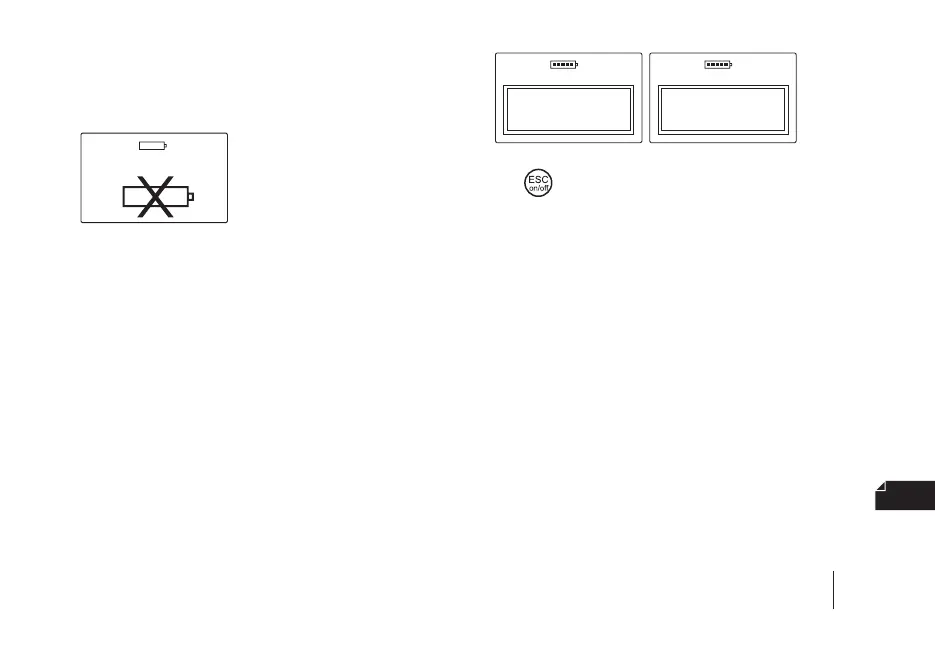
NOTE! If the batteries are too low to continue operation,
the device will automatically signal this with the follow
-
ing message:
DOD
01.01.2019
Change batteries
This means that the batteries must be replaced with
new ones.
c) In order to save the power source when the keys are not
in use, after some time the device will go into a stand
-
by mode, i.e. the backlight will go out (this time can be
changed in the menu). After pressing any key, the de
-
vice will return to the working state.
d) If the heat detector remains in the standby mode for
a few minutes, the power will be o automatically (this
time can be changed in the menu). The display will
show a countdown of 10 to 0, which can be interrupted
with any key, but if you do not do so, the device will turn
itself o to save power source.
DOD
LASSIE
01.01.2019
11:50
Power o in 5
DOD
LASSIE
01.01.2019
11:50
Power o in 3
e) In order to turn o the device on your own, hold down
the
key for 5 seconds or select the “Turn o!” op-
tion from the main menu.
NOTE!
Persons using the advanced mode can download from
our website www.draminski.com (or www.dog.dramin
-
ski.com) special software for communication with the
computer, which makes it possible to download data from
the device to the computer’s hard drive to conveniently
and accurately analyse the results, archive data, save val
-
uable comments, create special reports, printouts, gen-
erate oestrous graphs based on the results stored in the
device’s memory etc.
SECTION 4 | STARTING THE DEVICE


 To Next Page