2. Quick Install Your Vigor2200V/VG Router
2.1 Hardware Installation
Before starting to configure the router, you have to connect your devices correctly.
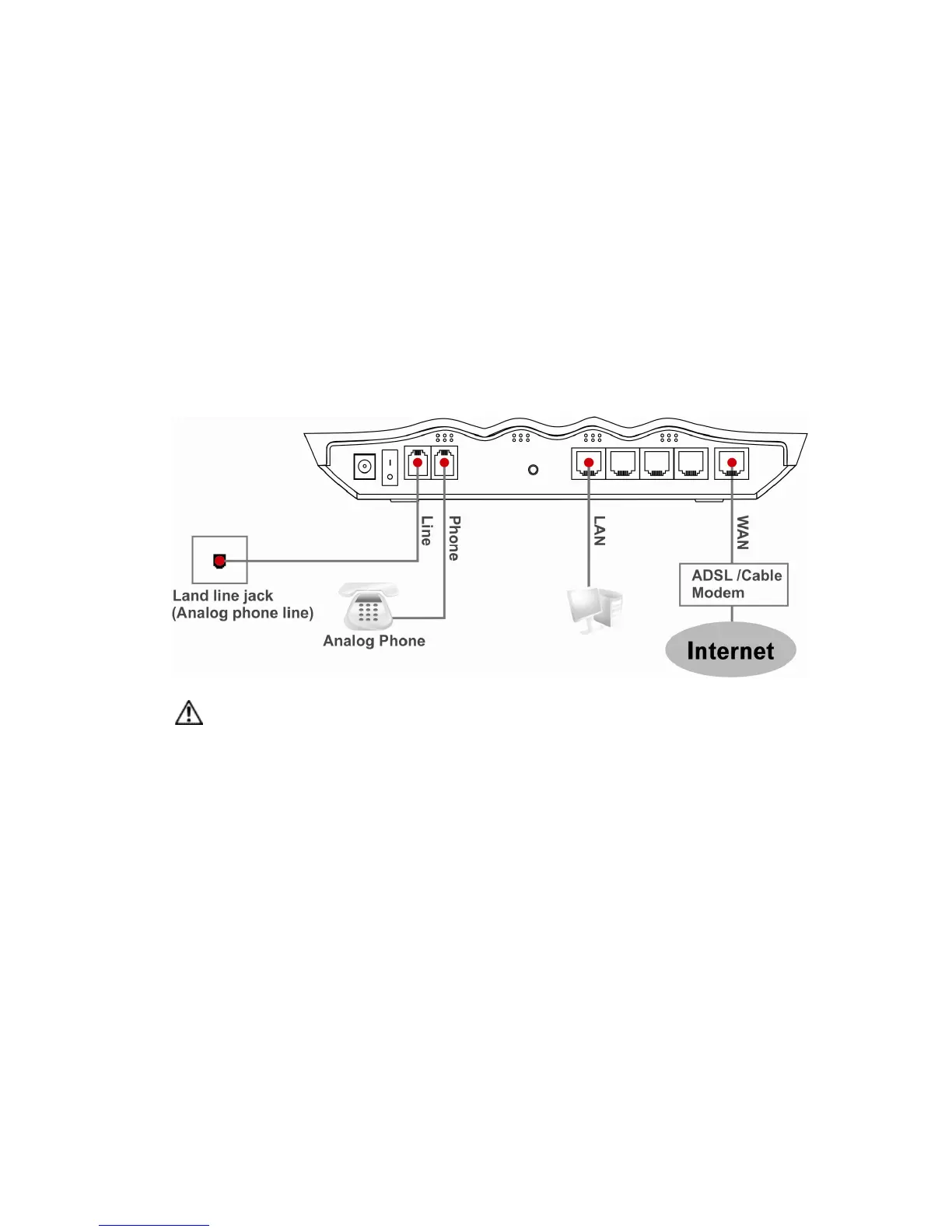
1. Connect the WAN interface to the external Cable/ADSL modem with a RJ-45
cable.
2. Connect one port of 4-port switch to your computer with a RJ-45 cable.
3. Connect the attached power adapter to the power port.
4. Check the ACT and WAN, LAN LEDs to assure network connections.
(Regarding the detailed LED status explanation, please refer to section 1.3)
Connection scenario is shown as below:
Caution The FXS port can be connected to an analog phone only. Do not
connect the FXS port to the telephone wall jack. This connection might
damage your router.



 To Next Page