PPTP
users
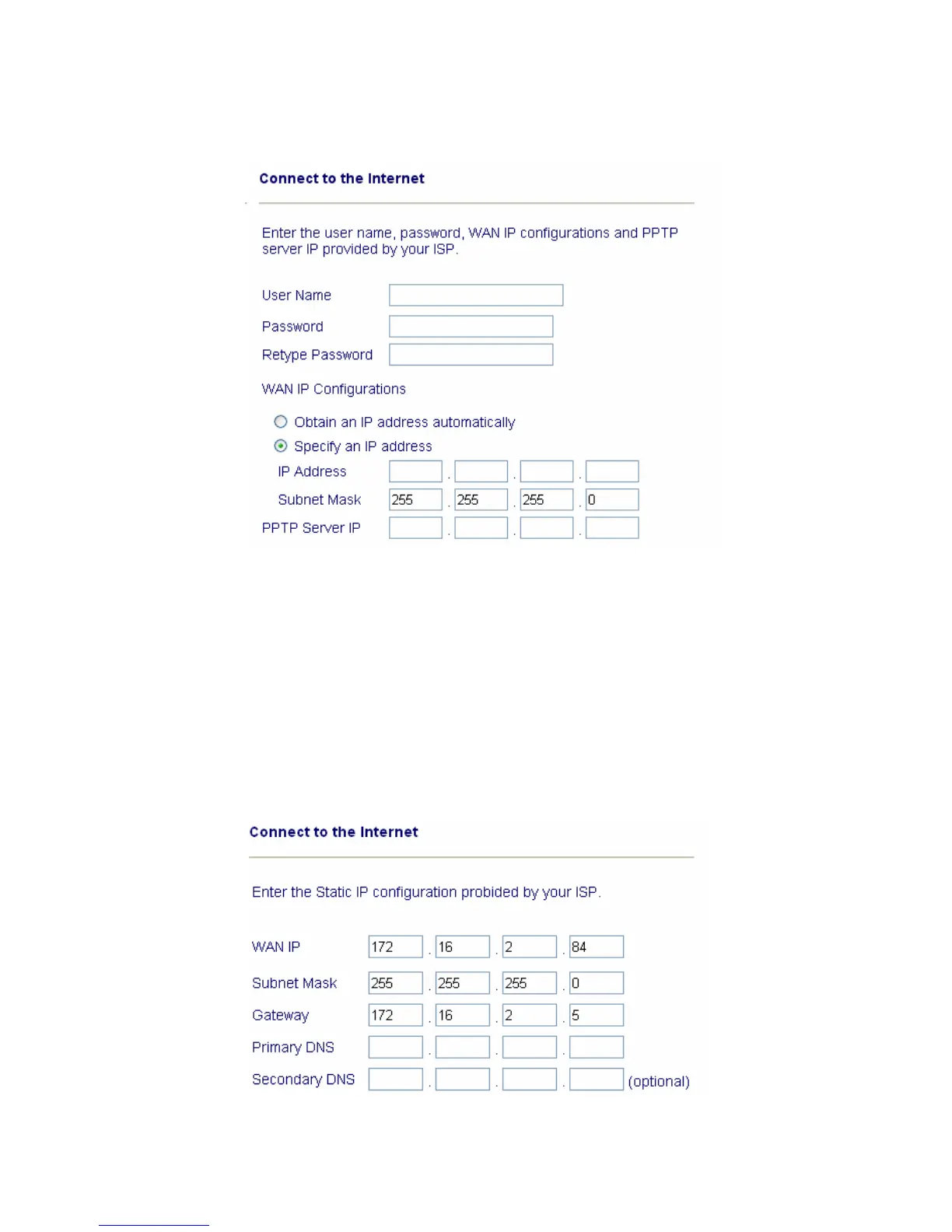
Enter your user name and password provided by your ISP.
Obtain an IP address automatically: Set the WAN interface as a DHCP client
that will ask for the IP network settings from the DHCP server or
PPTP-enabled DSL modem.
Specify an IP address: If you are not sure whether there are any DHCP
services on the WAN interface, you can manually assign an IP address to the
interface. Note that the IP Address and Subnet Mask should be assigned
within the same network as the PPTP-enabled DSL modem.
Static
IP
Enter the static (fixed or permanent) IP address that your ISP offers to you.



 To Next Page