Step 4
Are the ISP Settings OK?
1. Go to the web configuration GUI and check your ISP settings.
2. Click Internet Access Setup items on the left frame of GUI.
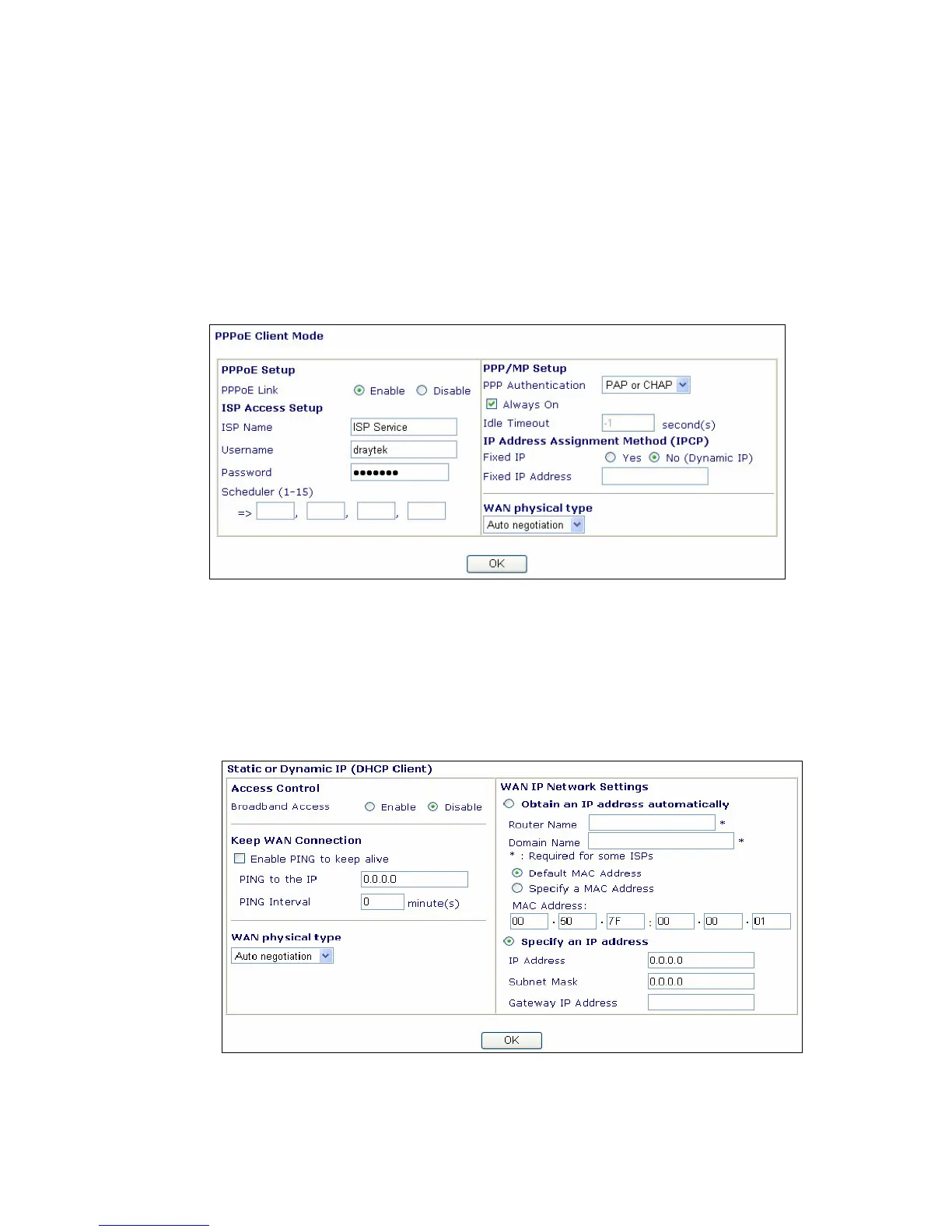
A. For PPPoE Users
1. Check that whether the Enable option is selected.
2. Check that whether the Username and Password are entered with correct value
given by your ISP.
B. For Static or Dynamic Users
1. Check that whether the Enable option is selected.
2. Check that whether WAN IP Network Settings is set appropriately or not. You
need to enter “Specify an IP address”, IP Address, Subnet Mask, and Gateway
IP Address with the correct value.



 To Next Page