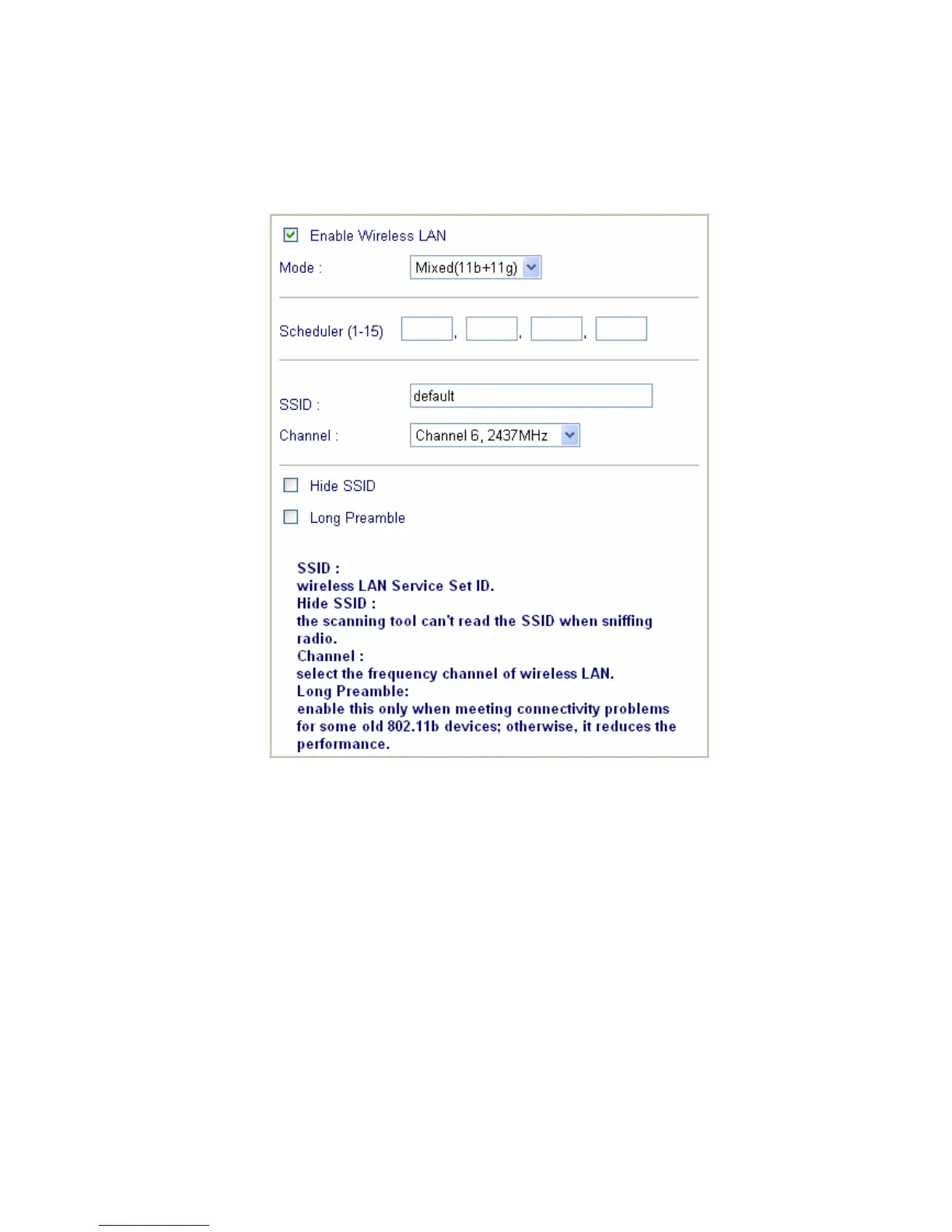
3.1 General Settings
Click General Settings to configure the Service Set Identifier (SSID) and
wireless channel.
1. Enable Wireless LAN:
Check the box to enable wireless function.
2. Mode:
Select an appropriate wireless mode.
Mixed (11b+11g): The radio can support both IEEE802.11b and
IEEE802.11g protocols simultaneously.
11g-only: The radio only supports IEEE802.11g protocol.
11b-only: The radio only supports IEEE802.11b protocol.
3. Scheduler:
Set the wireless LAN to work at some time interval only. You may choose
up to 4 out of 15 schedules that should be defined under Advanced
Setup > Call Schedule Setup. Please refer to the User’s Guide in the
product CD.
4. SSID and Channel:



 To Next Page