Step 5
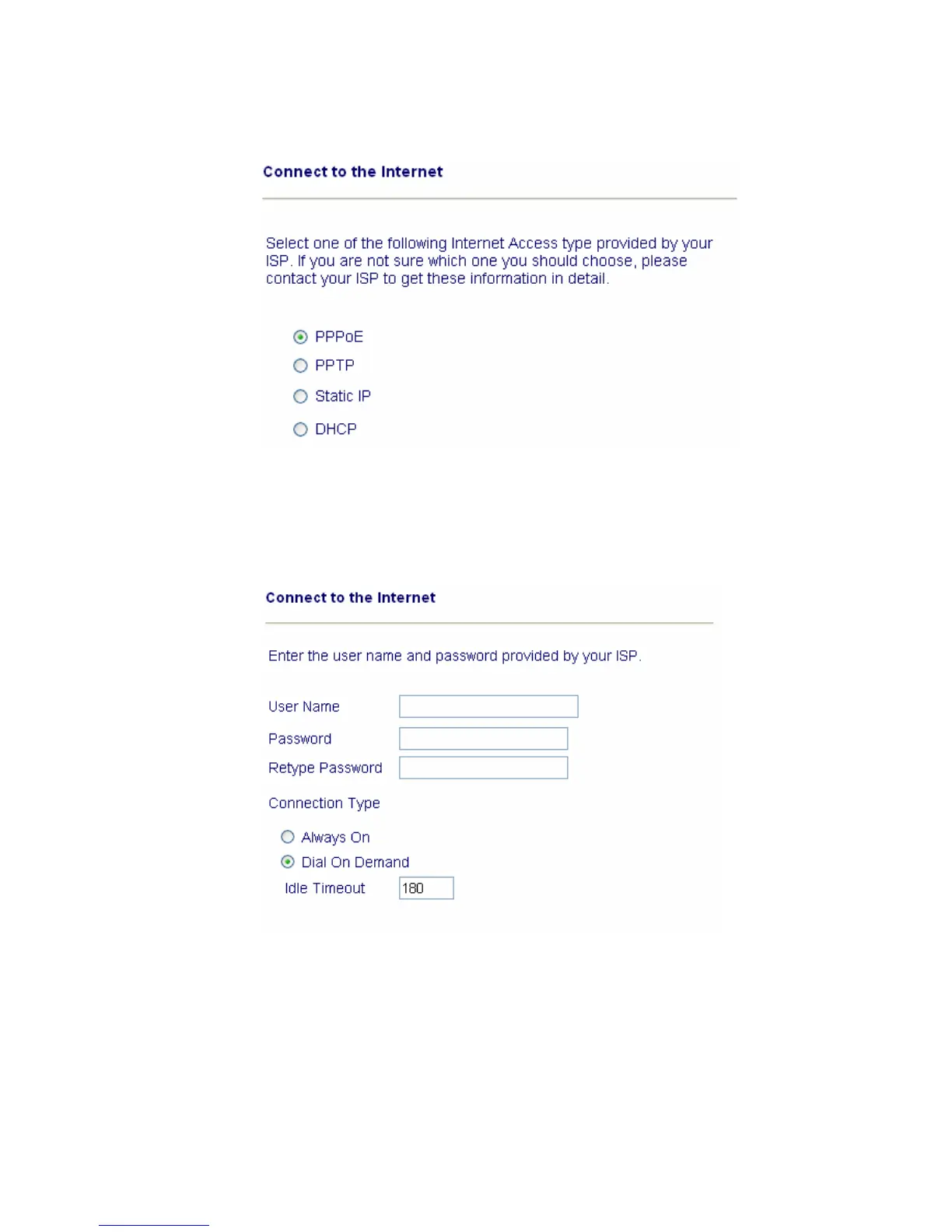
Select the appropriate Internet connection type to your ISP.
In terms of several Internet connection type, please follow procedures as below:
PPPoE
users
Enter your user name and password provided by your ISP.
Dial on Demand : The router will ONLY connect to your ISP on demand.
By “on demand”, it means when any LAN user attempt to send data onto the
Internet. When there is no data traffic, the router will close the connection to
the ISP because there is no demand.
Idle timeout: This is the time setting If there being no Internet traffic for a
period, for example 10 minutes.
Always On: The router will keep a permanent connection to the ISP
automatically.



 To Next Page