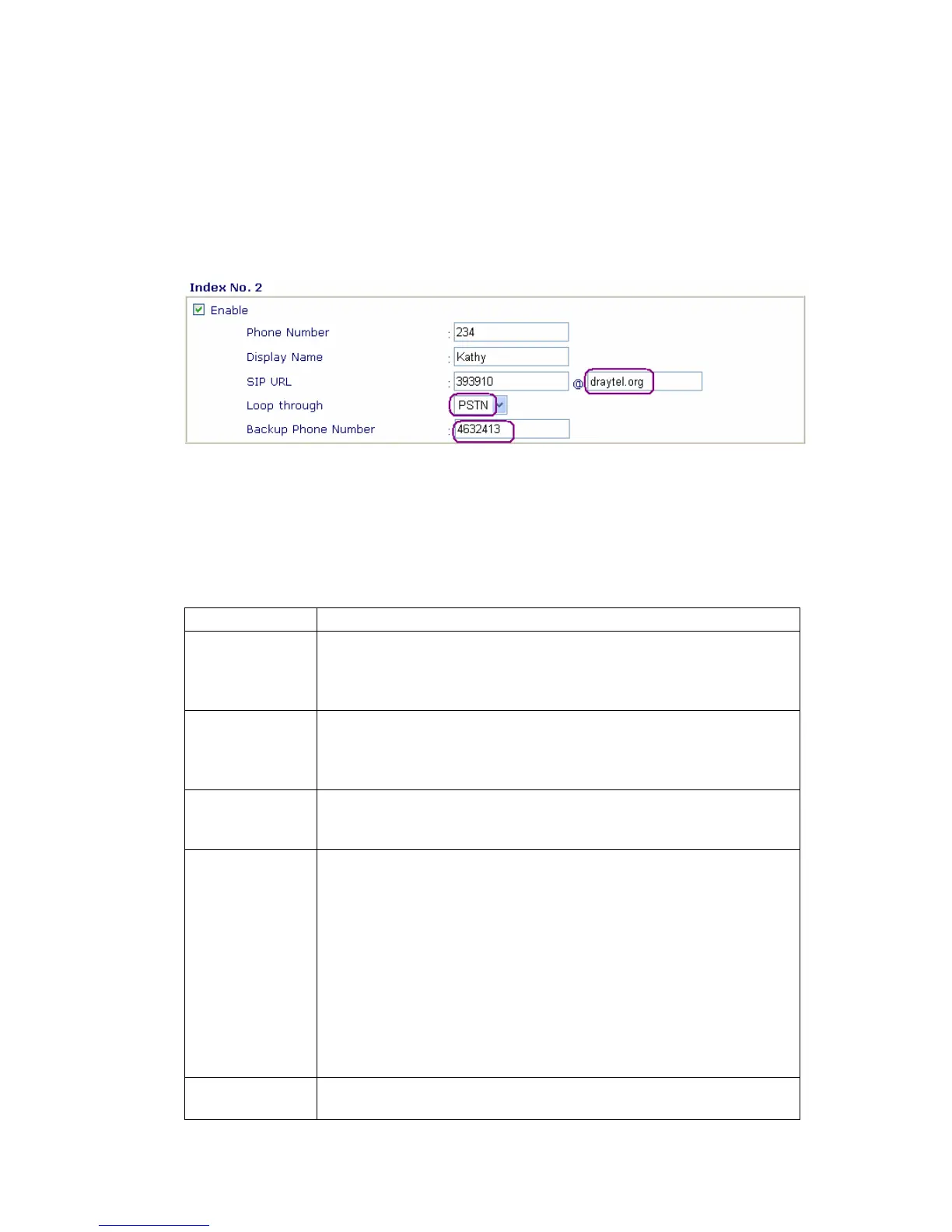
Example 2:
If Kelly gives you her SIP URL as sip:kelly@203.69.175.19 and PSTN number is
5972727 then you can enter the DialPlan as:
Phone Number: (any number you like)
Display Name: Kelly
SIP URL: Kelly@203.69.175.19
Loop through: PSTN
Backup phone number: 5972727
Example 3:
If Kelly gives you her IP address 203.69.175.19 only, and it is not in your DialPlan, you
still can press keypad on the phone to dial as #203*69*175*19#
The detail explanation of the index window:
Enable
Tick this to enable this entry.
Phone Number
The number you want to dial from your handset to call this
contact. This can be any number you choose, using digits 0-9
and*
Display Name
This field contains a name or a number that easily let you identify
the person who you wan to call. It can also be the name for SIP
display.
SIP URL
Address
Enter the SIP address of your contact
(e.g. 393910@draytel.org)
Loop Through
The Vigor2200V/VG series have a “Line” port on the rear panel for
connecting to a PSTN (regular analogue) line. The Loop
Through option can be used to set an alternate telephone number
for your contact on the PSTN, which the Vigor2200V/VG series
will dial instead of the SIP account if you lose broadband access
or power to the Vigor2200V/VG series.
Hence, the PSTN line can act as a lifeline (backup mechanism)
for VoIP calls. The default is VoIP mode. The lifeline mechanism
is activated automatically if you specify “PSTN” as Loop Through
and enter Backup Phone Number.
Backup Phone
Number
The alternate PSTN number to dial if “PSTN” is set in Loop
Through entry.



 To Next Page