VigorFly 200 Series User’s Guide
120
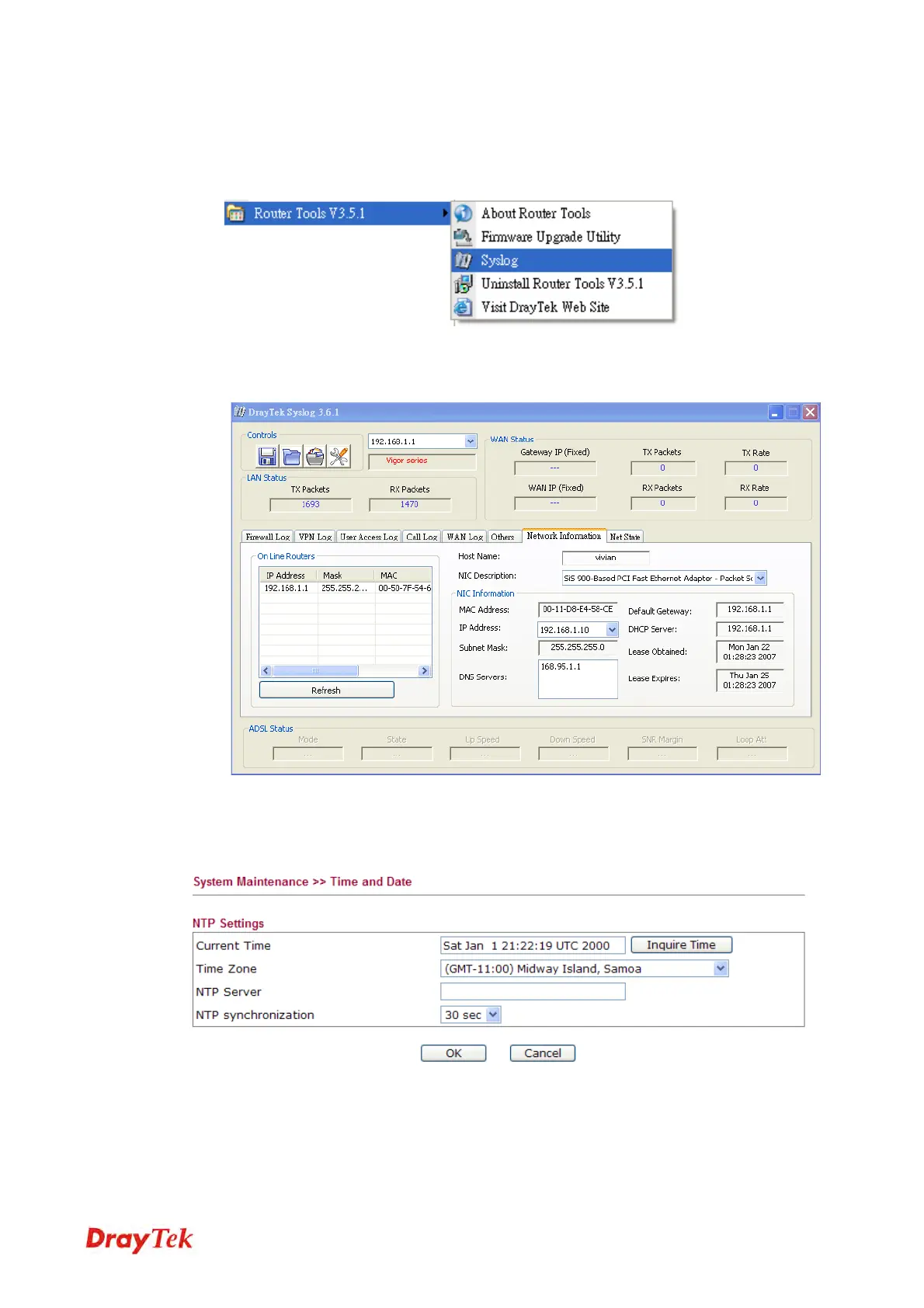
1. Just set your monitor PC’s IP address in the field of Server IP Address
2. Install the Router Tools in the Utility within provided CD. After installation, click on the
Router Tools>>Syslog from program menu.
3. From the Syslog screen, select the router you want to monitor. Be reminded that in
Network Information, select the network adapter used to connect to the router.
Otherwise, you won’t succeed in retrieving information from the router.
4
4
.
.
7
7
.
.
6
6
T
T
i
i
m
m
e
e
a
a
n
n
d
d
D
D
a
a
t
t
e
e
It allows you to specify where the time of the router should be inquired from.
Current Time
Click Inquire Time to get the current time.
Time Zone
Select the time zone where the router is located.
NTP Server
Type a new NTP server.
NTP synchronization
Select a time interval for updating from the NTP server.



 To Next Page