VigorFly 200 Series User’s Guide
39
W
W
h
h
a
a
t
t
i
i
s
s
R
R
o
o
u
u
t
t
i
i
n
n
g
g
I
I
n
n
f
f
o
o
r
r
m
m
a
a
t
t
i
i
o
o
n
n
P
P
r
r
o
o
t
t
o
o
c
c
o
o
l
l
(
(
R
R
I
I
P
P
)
)
Vigor router will exchange routing information with neighboring routers using the RIP to
accomplish IP routing. This allows users to change the information of the router such as IP
address and the routers will automatically inform for each other.
Below shows the LAN menu:
3
3
.
.
2
2
.
.
1
1
G
G
e
e
n
n
e
e
r
r
a
a
l
l
S
S
e
e
t
t
u
u
p
p
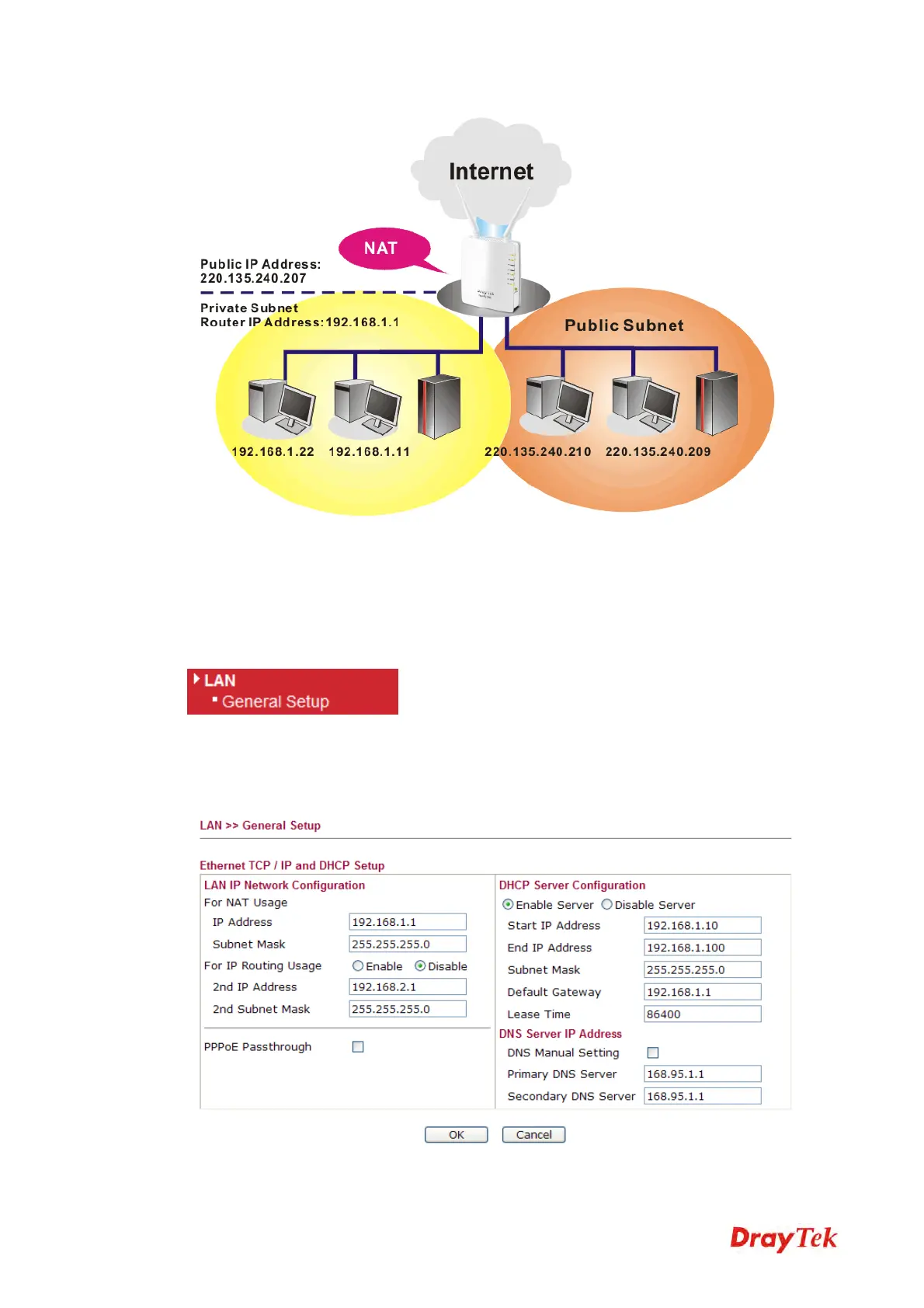
This page provides you the general settings for LAN.
Click LAN to open the LAN settings page and choose General Setup.
IP Address
Type in private IP address for connecting to a local private



 To Next Page