VigorFly 200 Series User’s Guide
81
4
4
.
.
3
3
.
.
2
2
D
D
M
M
Z
Z
H
H
o
o
s
s
t
t
As mentioned above, Port Redirection can redirect incoming TCP/UDP or other traffic on
particular ports to the specific private IP address/port of host in the LAN. However, other IP
protocols, for example Protocols 50 (ESP) and 51 (AH), do not travel on a fixed port. Vigor
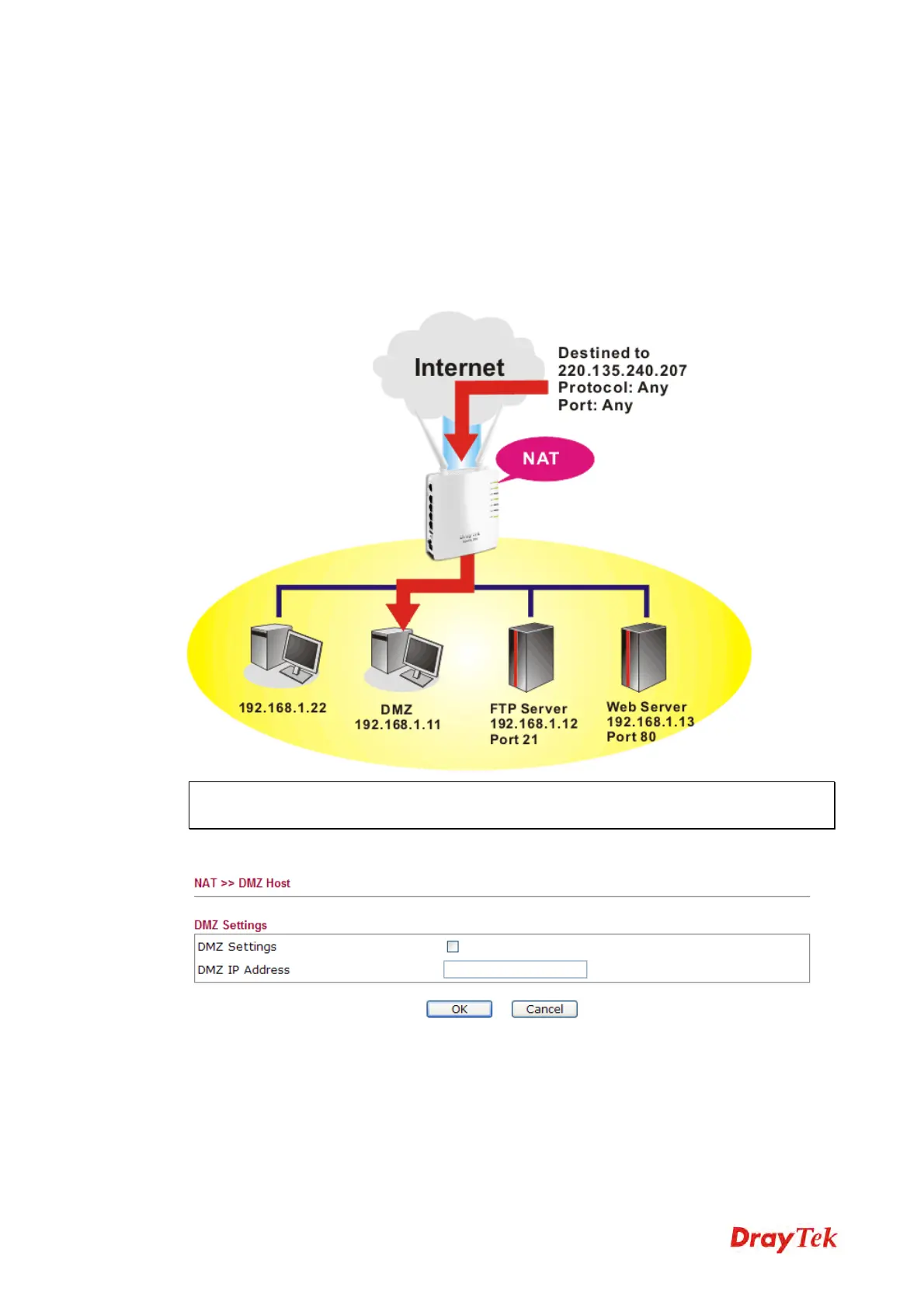
router provides a facility DMZ Host that maps ALL unsolicited data on any protocol to a
single host in the LAN. Regular web surfing and other such Internet activities from other
clients will continue to work without inappropriate interruption. DMZ Host allows a defined
internal user to be totally exposed to the Internet, which usually helps some special
applications such as Netmeeting or Internet Games etc.
Note: The security properties of NAT are somewhat bypassed if you set up DMZ host. We
suggest you to add additional filter rules or a secondary firewall.
Click DMZ Host to open the following page:
DMZ Settings
Check this box to enable the DMZ Host function.
DMZ IP Address
Enter the private IP address of the DMZ host.
OK
Click this button to save such profile.
Cancel
Click this button to clear information on this page.



 To Next Page