07-02300C F600 7 Dri-Eaz Products, Inc.
SYSTEM MESSAGES
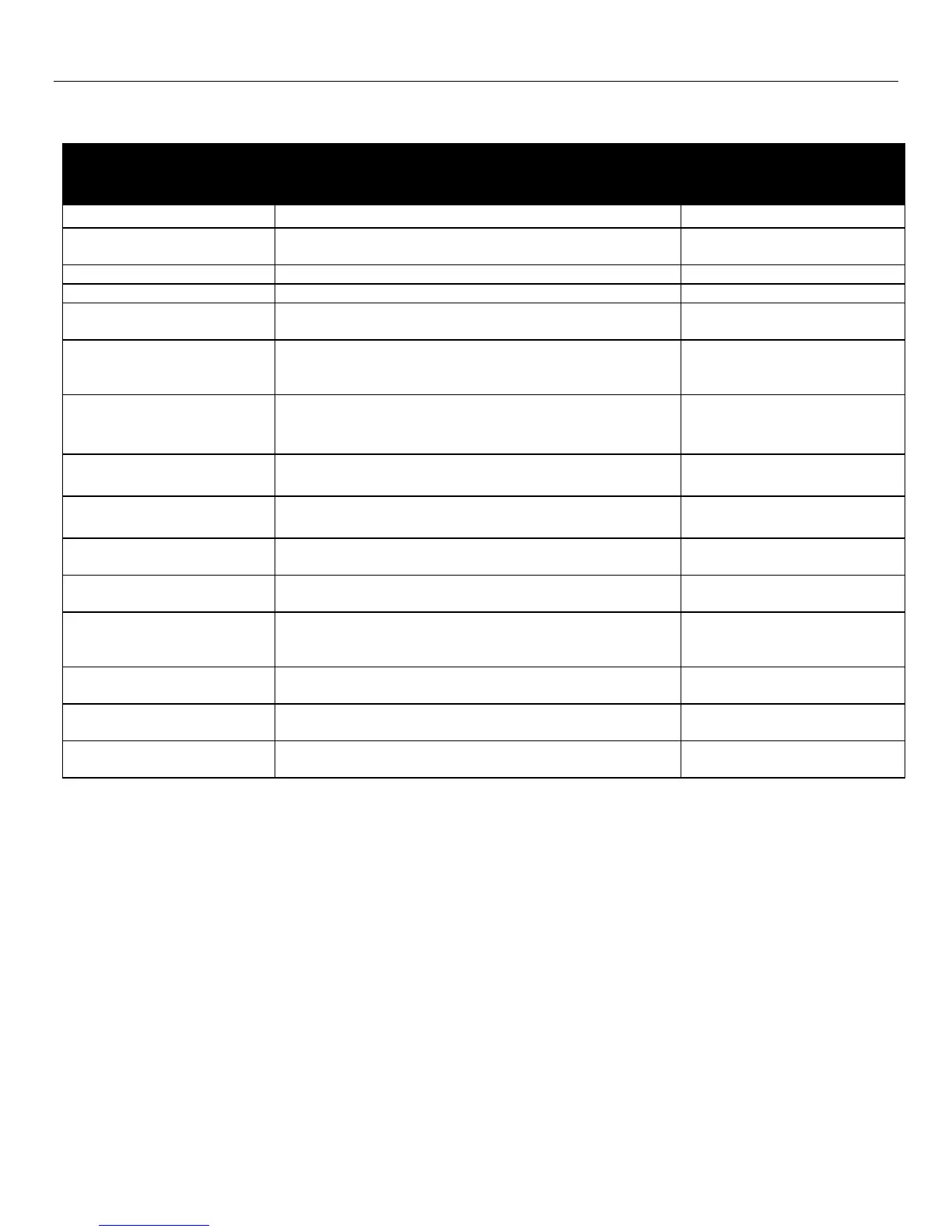
The Control Panel will display the following messages based on system performance and environmental conditions. User
action, if any is required, is indicated in the third column.
C O N T R O L P A N E L
M E S S A G E
Indicates control board firmware version number.
Unit has finished powering up and is operating.
PLEASE WAIT
COMP. DELAY XX
60s delay before compressor turns on. Allows system
pressure to equalize.
UNIT ON XXXX HRS
INLET XXX°F / XX%
First line: indicates total operating hours.
Second line: Toggles between inlet temperature and
inlet RH every 2 seconds.
HUMIDISTAT
INLET XXX°F / XX%
First line: indicates unit is in humidistat mode
Second line: Toggles between inlet temperature and
inlet RH every 2 seconds.
LOW TEMP
INLET XXX°F / XX%
Unit shuts off if inlet temp below 45°F/7°C. Turns back
on when inlet reaches 50°F/10°C.
Displays when the Pump Purge button is pressed.
Shows time remaining in seconds.
HI TEMP CYCLE
REMAINING XX MIN
Unit overload limit reached. Cool-down initiated.
Unit is defrosting, with countdown in seconds.
Unit turned off when coil is cold or already in a defrost
cycle. Proceeds to finish cycle or initiate one to clear the
coils of ice before storage.
Occurs when unit is turned off and coil is not frozen.
Clears the coils of water before storage.
Check filter. Press the > key
to reset
Prompt to clean coils and interior.
Clean coils. Press the > key
to reset



 To Next Page