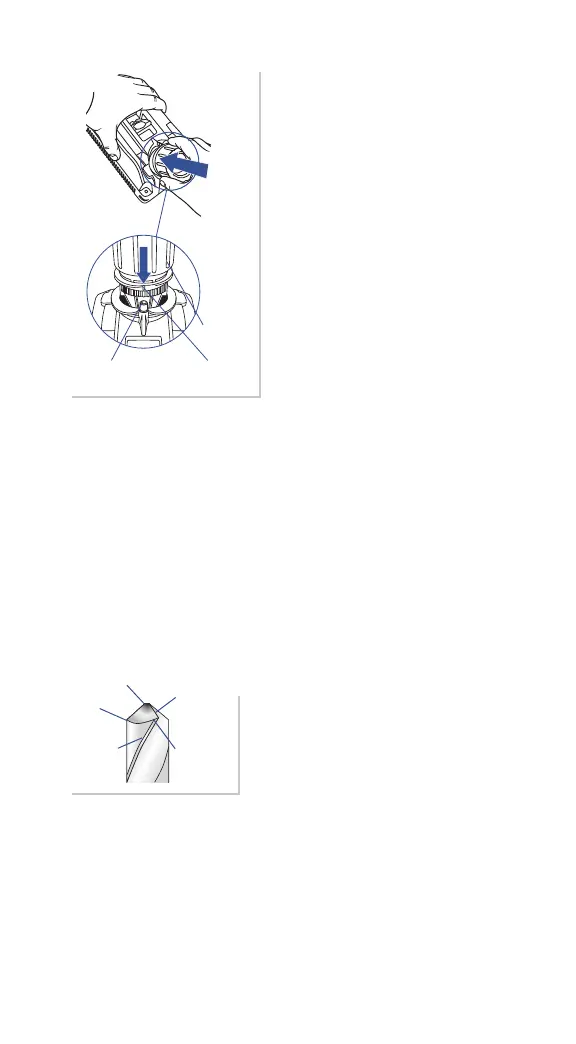
Chisel Edge
Cutting
Edge
Relief
Angle
Leading
Edge
Heel
ww w.drilldoctor.com 23
3. Sharpen by “plunging”
Line up the Sharpening Guide
(white lines) on the Chuck with the
Cam Pin on the machine. Plunge
the Chuck into the Sharpening Port
until it touches the Sharpening
Wheel. Remove the Chuck, rotate
one half-turn clockwise and repeat
the plunge action. Start with
four plunges and always use an
even number. Inspect the bit and
continue until the cutting surfaces
are sharp.
Using the Variable Alignment to Adjust the
Chisel and Relief Angles
The Model XP enables you to adjust the Chisel and Relief Angles
of your drill bit. The Chisel and Relief Angles have a direct eect on
the performance of your drill. By increasing the Relief Angle, you
can increase the speed of the drill in softer materials. To improve
the quality of the hole you can adjust the drill to be less aggressive.
A less-aggressive drill has a lower Chisel and Relief Angles. Your
Drill Doctor enables you to adjust both angles in one setting.
1. Chuck bit as usual
To prepare your bit for this ne
adjustment, follow all the Steps for
chucking your bit given previously in
this User’s Guide.
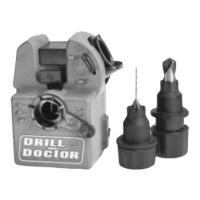
Cam
Cam Guide Sharpening Guide




 To Next Page