-6-
2. How to use console
2.1 Display and Keys on Console
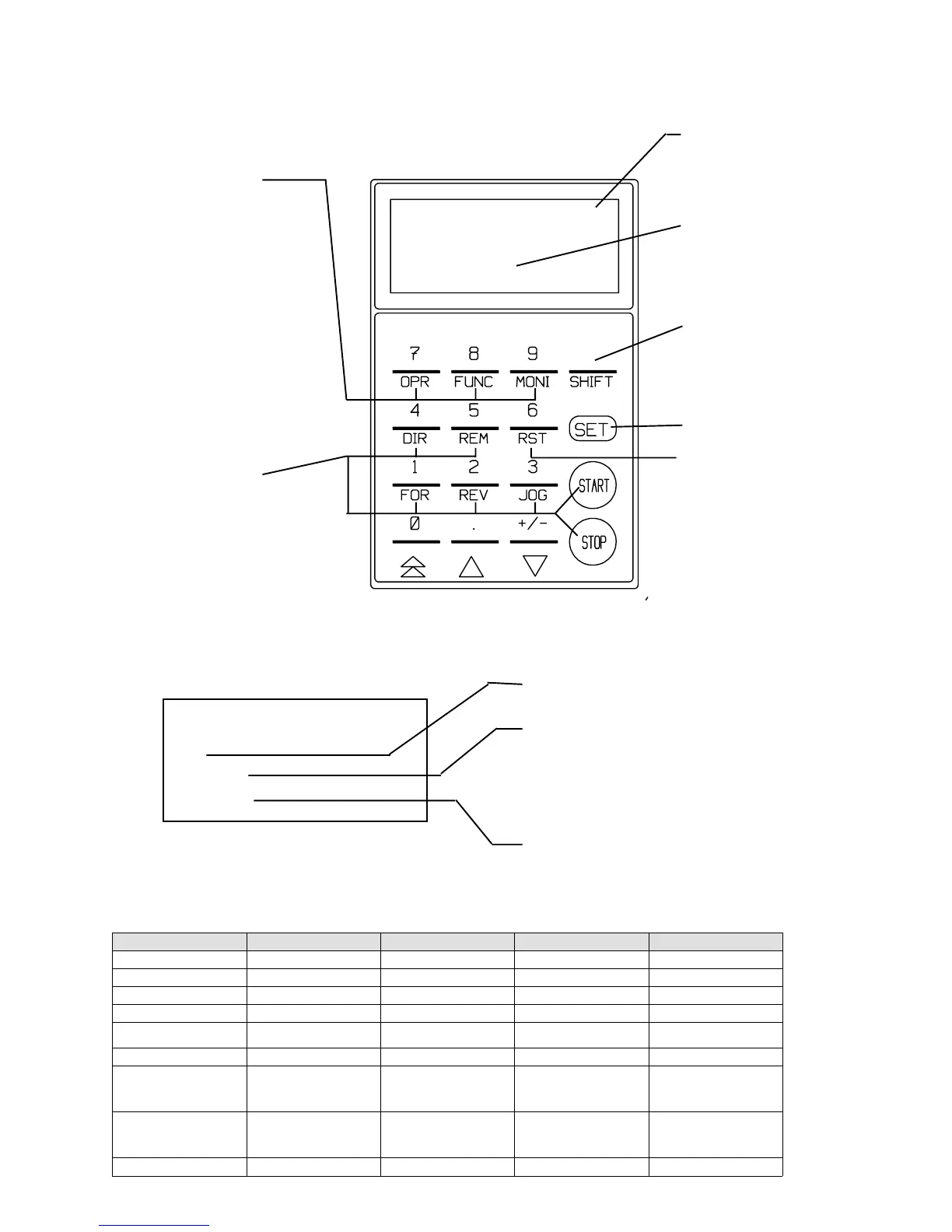
The console has 16 columns x 4 lines LCD and operation keys as shown below.
Mode selector keys
Select the operation, func-
tion or monitor mode with
the OPR, FUNC, or MONI
key. (For details of these
modes, see the following
section.)
Operation selection
keys and operation keys.
Reset key
Data setting key
Numeric entry keys
(Upper)
Function entry keys
(Lower)
^
Every press of key
alternates these
functions.
()
LCD
This mark designates
that the console is
selected to the numeric
entry key mode.
2.2 Monitor mode
Press the MONI key, and the current setting is displayed as shown below.
2.2.1 A monitor code (of 16 codes) and operation condition are displayed.
(See 2.2.2 for displayed items)
* MONITOR *
REM/STOP/FOR/JOG
(00)FOUT
60.0 [Hz]
Indicates selected operation keys.
Indicates a monitor code and its content.
To change a displayed monitor code, press a
numeric key (0-9), function entry key, and up
or down arrow keys.
Stored data (previous data) is displayed.
After operation starts, an operation value is
displayed.
2.2.2 Displayed code list (Items selectable in monitor mode)
Display on LCD Items Units Remarked
00 Fout Output frequency Hz
01 Fref Set frequency Hz
02 Iout Output current A
03 Vout Output voltage V
04 Torq out Torque (Torque current) %
Estimated torque is displayed in
percentage
05 Vdc DC voltage V
06 Motor speed Motor (synchronous) revolution rpm
Actual revolution is displayed in ASR
operation. Revolution converted from
frequency is displayed in other
operations.
07 OL counter OL counter %
OL counter begins to count when
current exceeds rated motor current.
OL operation starts at 100%. (OL
set=100%)
08 Line speed Line speed ...



 To Next Page