Compacta - User s Manual
Compacta User_en ed 1 Feb 05.doc
Page
23
of 34
For filling the canisters in the correct way always follow the rules stated below.
Remove the lid of the canister that has to be filled.
Poor the desired quantity of colorant into the canister paying attention not to spill it or
create air bubbles. A piece of heavy paper that can be rolled into a cone is a good idea for
filling. When you set the colors on the program that manages your machine, remember to
set them in the same way you have introduced them in the canister.
It is better to avoid pouring on the yellow stirring cap.
Close the lid on the canister.
Repeat the same operation with every canister on the machine.
REMARKS
NEVER EXCEED THE MAXIMUM COLORANT LEVEL IN THE CANISTER.
THE MAXIMUM LEVEL IS 10MM BELOW THE YELLOW STIRRER CAP.
5.9
Control panel
The display contains certain features that are explained in this chapter. Please carry out the
following steps before operating the machine:
Check if all the cables (power-cable and serial cables) are properly connected (see chapter 5.4)
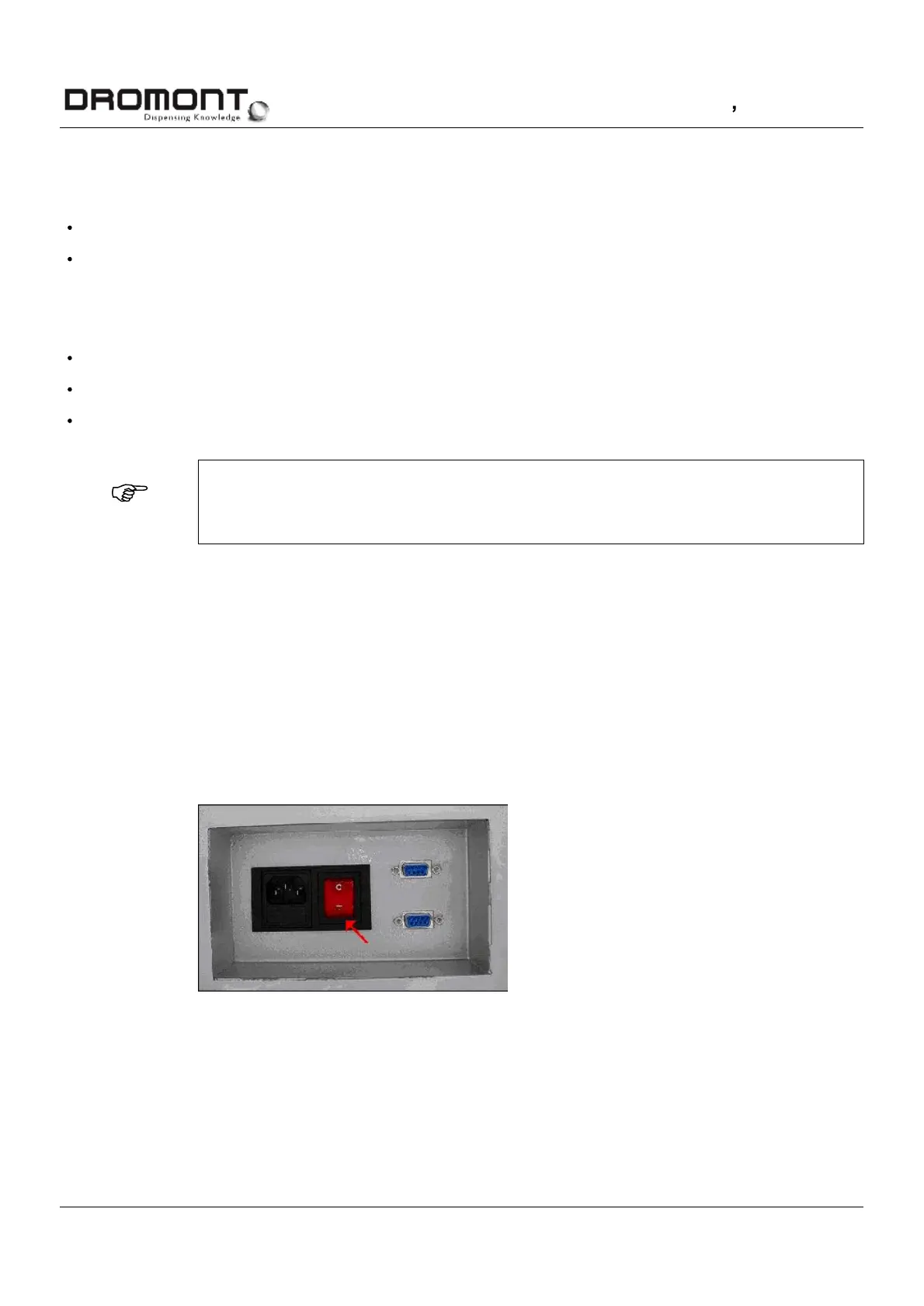
Switch on the main switch (see
picture
5-8
) and verify if the led inside the switch is turned on.
picture
5-8
Main switch



 To Next Page