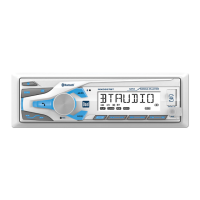
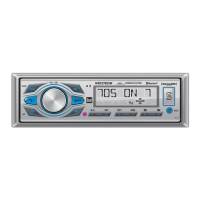
6
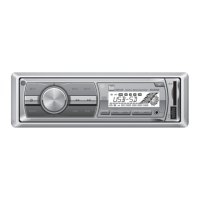
MGH20 OPERATION
Press oranyotherbutton(exceptEJECT)toturntheunit
on. Press toturntheunitoff.
Press MODE toselectbetweenAM/FM,auxiliaryfront/rear,
USB,operationofiPod
®
/iPhone
®
and Pandora. Modes of
operationareshowninthedisplay.
NOTE:USBandoperationofiPodmodeswillnotappear
unlessaUSB/iPoddeviceisconnected.
TheMGH20offerstwoauxiliaryinputports,a3.5mmport
onthefrontpanelandanRCAconnectiononthebackof
theunit.Useeitherconnectiontoconnectaudiodevice,MP3
player,etc.PressMODE toselectAUXFRONTorAUXREAR
modes.
Thesteeringwheelinterfaceinputlocatedonthebackof
theheadunitallowsconnectiontothePacific Accessory
Corporation (PAC) SWI-PSinterfacemodule(sold
separately).Visitwww.pac-audio.comfordetails.
Toconfiguresteeringwheelcontrols,followtheinstructions
providedwiththePAC SWI-PSinterfacemodule.After
installingtheinterfacemodule,insertthemodule's3.5mm
jackintothe"REMOTEIN"portonthebackoftheheadunit.
Adjustvolumeusingvolumeknob(00-46).
Press DISPtoselectbetweenclockanddifferenttypesof
information,suchasradiofrequencyorMP3/WMAsong
information.
Press RESETuponinitialinstallationorifabnormal
operationoccurs.Resetbuttonislocatedbehindthefront
panel.
Withtheuniton,pressandholdDISPuntiltheclockbegins
toflash,thenrelease.PressTUNE
nn
toadjustthehours
and TUNE
ll
toadjusttheminutes.PressDISP momen-
tarilytosavetheselectedtime.
Theclockwilldisplay12-hourAM/PMtimeinUSAfrequency
spacingmode(PM10
:
00).InEuropeanfrequencyspacing
mode,theclockwilldisplay24-hourtime(22:00).
PressandholdAUDIO/MENUformorethan3secondsto
accessthesetupmenu.PressAUDIO/MENUmomentarily
toselectbetweenthemenufunctionsandrotatethevolume
knobleft/righttoadjustoractivatethedesiredfunction.
Power On/Off
Mode
Auxiliary Inputs
Steering Wheel Interface
Input
Volume
Display
Reset
Set the Clock
12/24-hour Clock
Setup Menu
General Operation


 To Next Page