5
Installation
Mounting KIT
or Dashboard
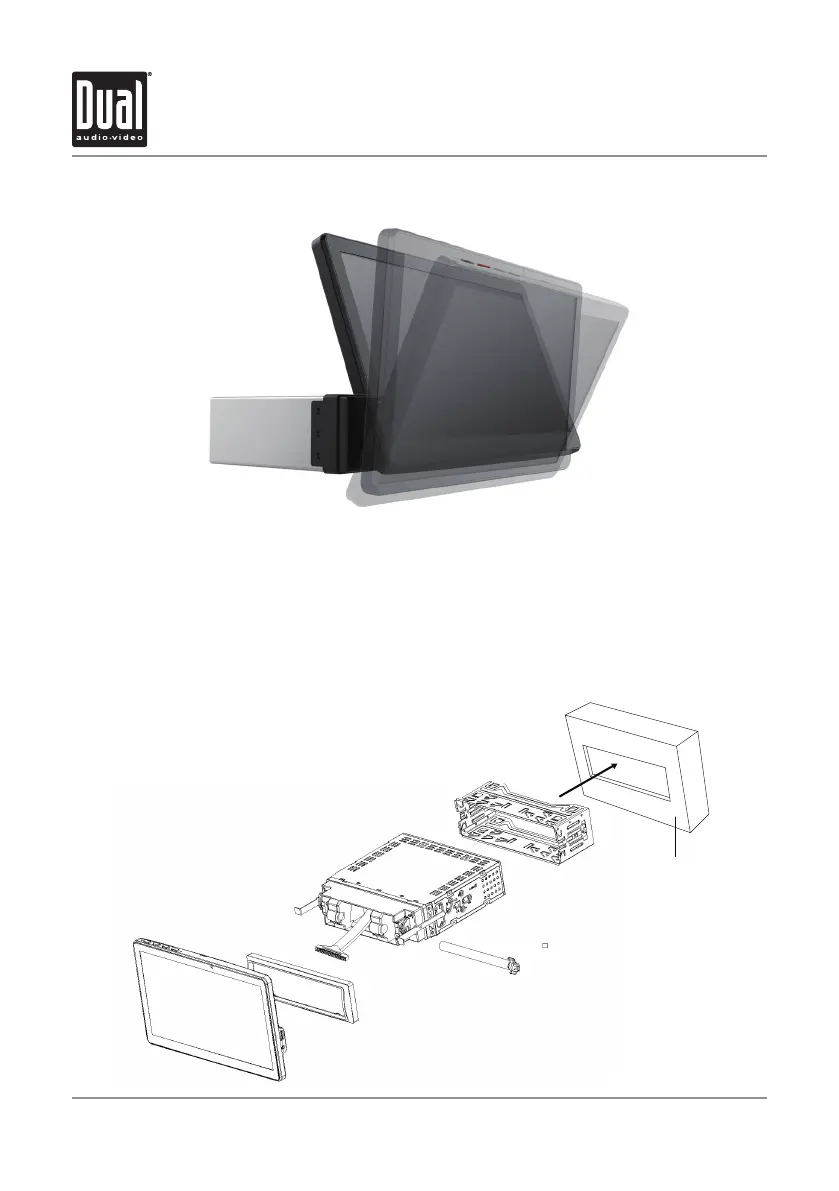
Front Panel Installation Guide
Step 1: Insert the supplied removal keys into the slots as shown and slide the receiver out
of the mounting sleeve.
Step 2 : Install the mounting sleeve into the dash or installation kit opening and bend the
tapb to secure
Step 3 : Connect the power wiring harness.
Step 4 : Snap the trim ring into place making sure the notched area is on the bottom.
Step 5 : Slide the receiver into mounting sleeve to secure.
XVM1000Ui INSTALLATION


 To Next Page