DQ-MINI User Manual, Version: 1.00
08.4 QR Mode option set
Following is the communication frame for QR mode setting. Since it is saved in flash memory
after the first setting, the reader does not need to be set again.
(115,200bps, 8 data, no parity, 1 stop bit)
LENH^LENL ^ CMD ^
DATA[0]^DATA[1]
QR scan mode change to Presentation mode
QR scan mode change to Manual trigger mode
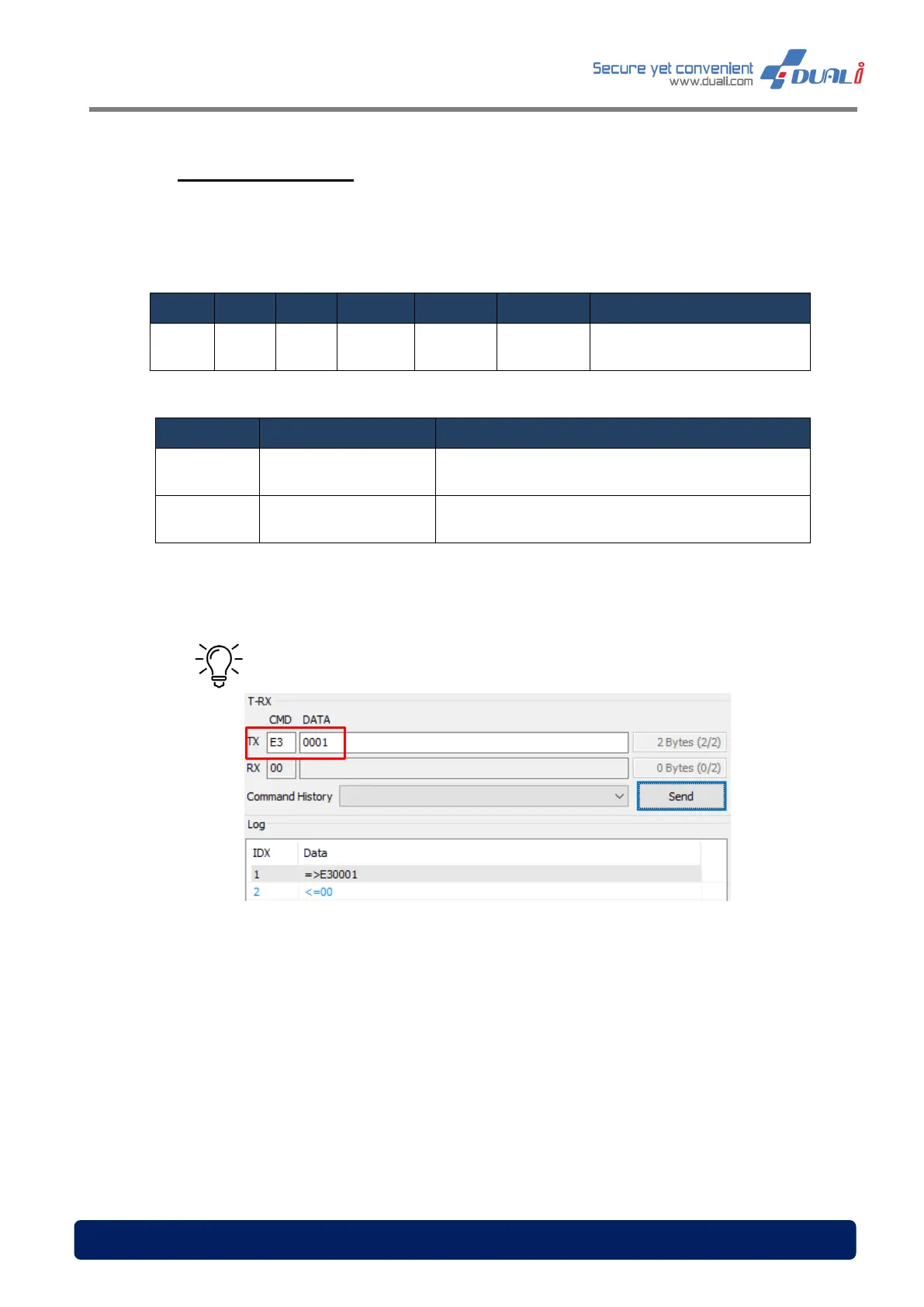
Tip – To change the QR Mode to Presentation mode


 To Next Page