Customising the Riding Mode: DQS
enabling/disabling
This function disables or sets DQS level for the
selected riding mode.
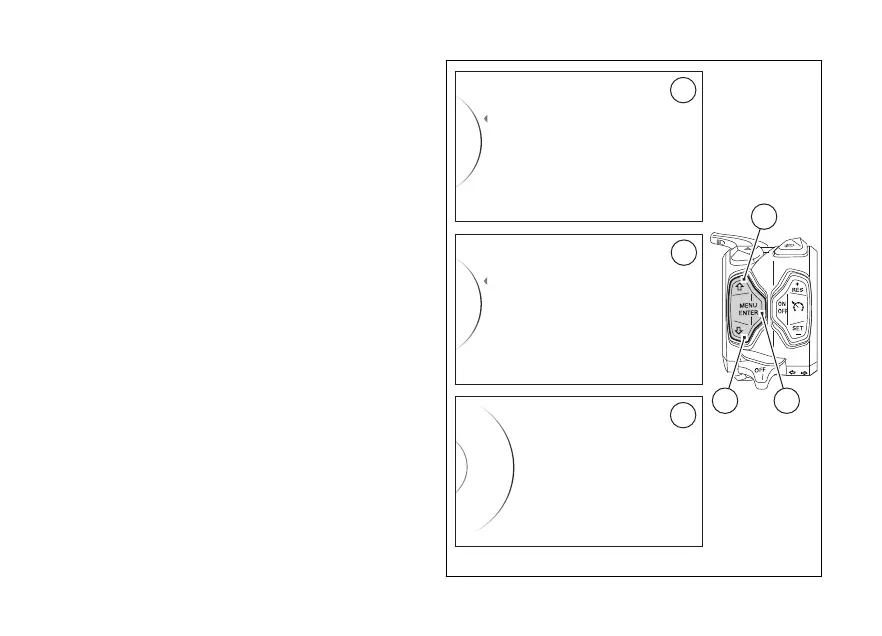
Enter the SETTING MENU.
Select Riding Mode (A), by pressing button (1) or (2).
Once function is displayed, press button (4).
You will access the Riding Mode menu.
Select the desired riding mode (Sport, Touring, Urban
or Enduro) (B) to be edited, by pressing button (1) or
(2). Once the desired riding mode is selected, press
button (4).
You will access the selected riding mode
customisation menu (e.g., “Sport”) (C).
Press button (1) or button (2) to highlight and select
"DQS" and press button (4).
Riding Mode
Info Mode
Pin Code
Exit
Sport
Touring
Enduro
Urban
Back
...
DQS
Suspension
Sport
Load mode
...
ABS
DWC
A
B
C
42
1
Fig. 65
135













 To Next Page