Before You Start
EN-5
Product Overview
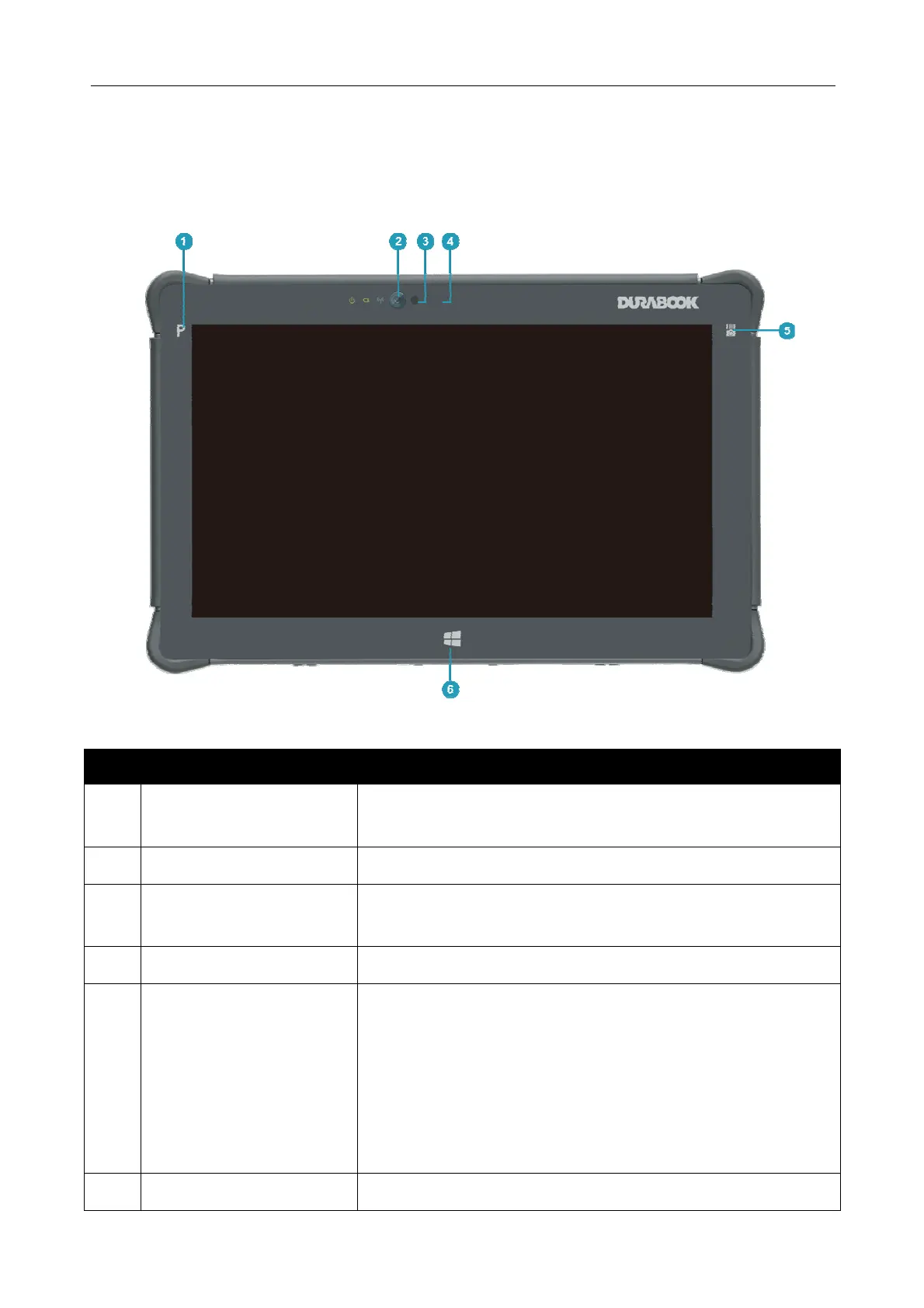
Front View
No. Item Description
1 Program button Tap to enter the chosen program (user definition)
or enable Stealth mode.
2 Front camera Use for video conference.
3 Ambient light sensor Use to detect the current level of visible light in the
surrounding environment.
4 Microphone Record the surrounding sound.
5 Function button The button functionality can be assigned via Quick
Menu.
Barcode trigger button: Press to trigger the
Barcode scan function if the barcode scanner is
enabled.
Launch Windows Camera Application button.
Disable
6 Window button Tap to return to the Start screen.



 To Next Page