Before You Start
EN-7
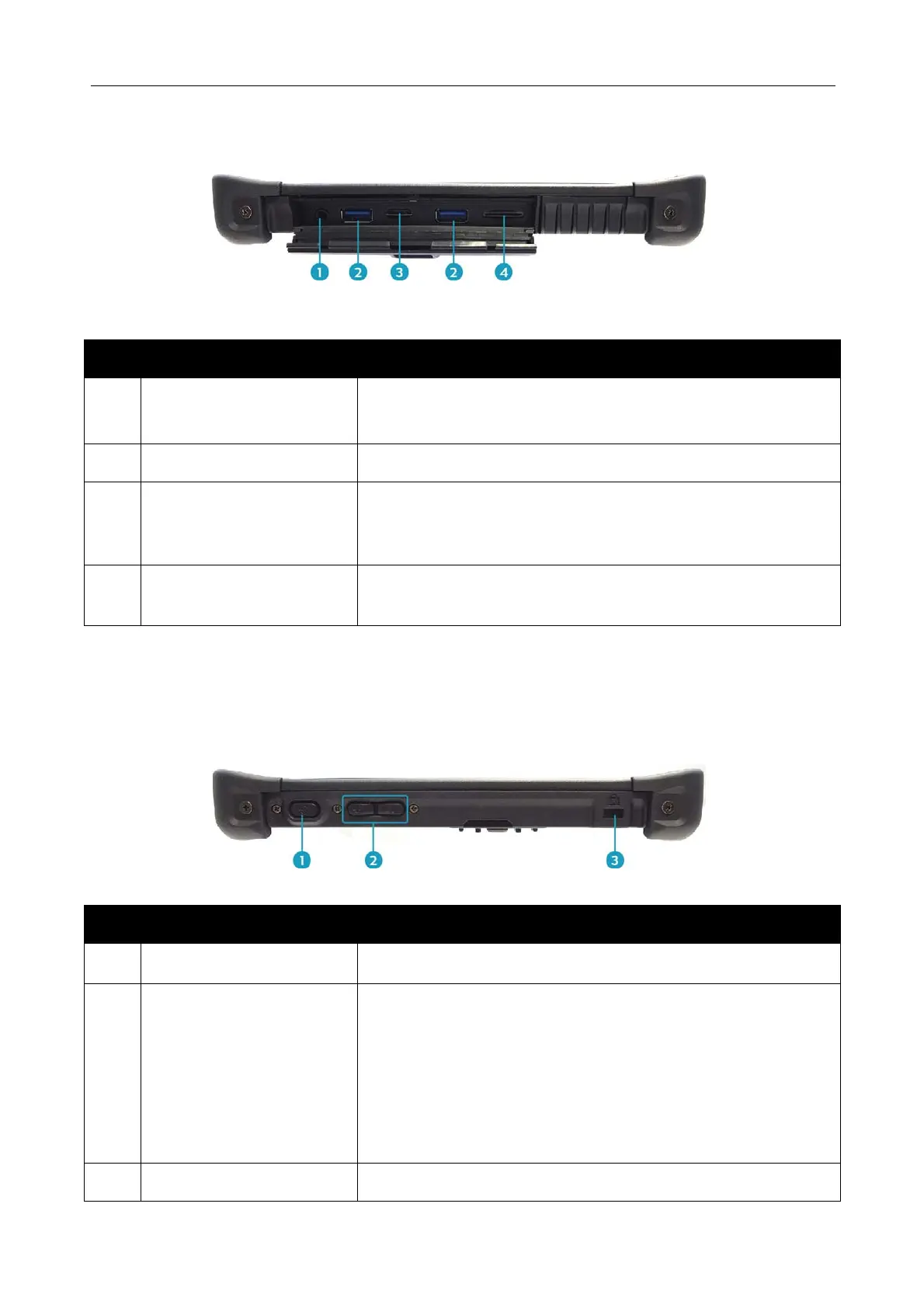
Right View
No. Item Description
1
Audio Combo jack Connect a headphone or an external speaker or
microphone.
2 USB 3.0 ports (x2) Connect USB 3.0 peripheral devices.
3 MicroSD memory
card slot
Use to insert a MicroSD card to transfer pictures,
music, and data between your Tablet PC and flash
compatible devices.
4 SIM card slot Use to insert a SIM card for WWAN module
connection.
Left View
No. Item Description
1
Power button Press to turn your tablet PC on or off.
2 Up/Down buttons
The button functionality can be assigned via Quick
Menu.
Brightness adjustment: Press to adjust the
brightness level.
Volume adjustment: Press to adjust the volume
level.
Disable
3 Kensington lock slot A Kensington cable can be connected.



 To Next Page