CONNECTING THE PRINTER
12 | 4. Connecting the Printer
DuraLabel.com | 800.788.5572
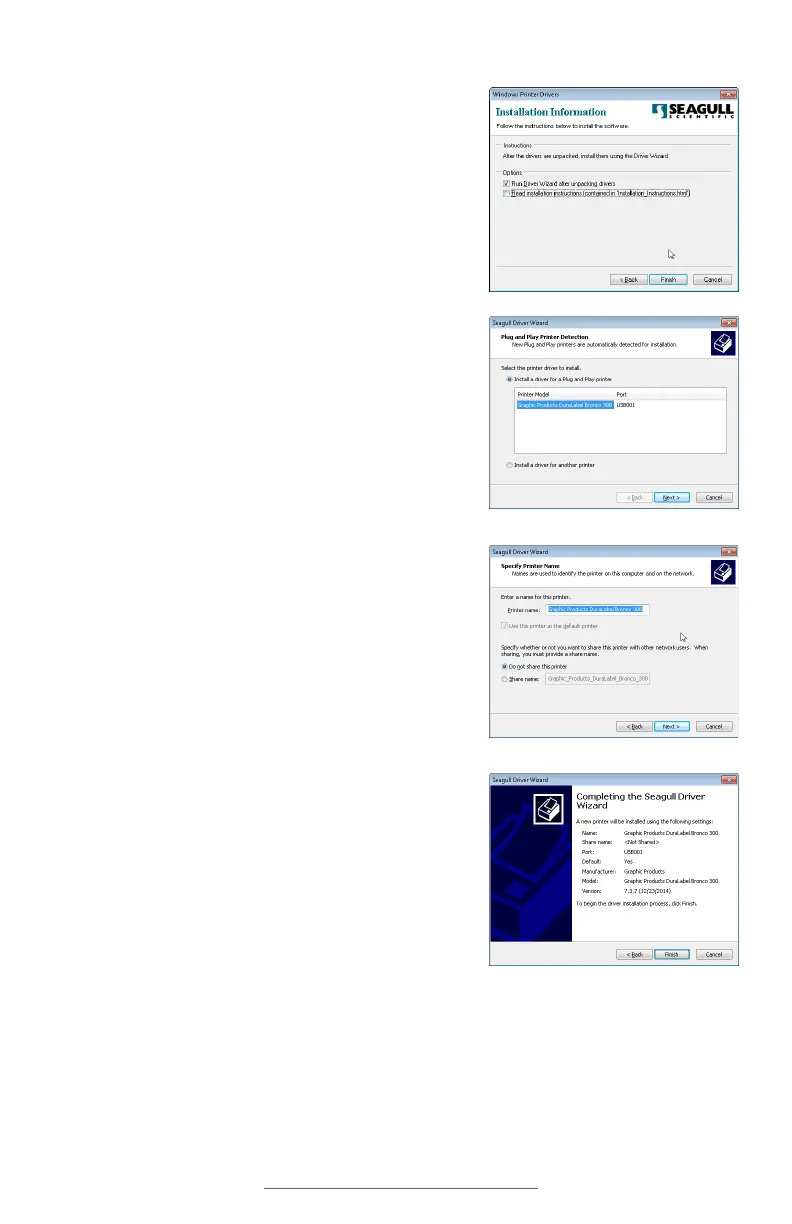
5. Make sure that the option to “Run Driver Wizard
after unpacking drivers” is checked, and click
Finish.
6. When the Driver Wizard starts, the program
should automatically detect your Bronco. Select
the entry for your Bronco (in the list under
“Install a driver for a Plug and Play printer”) and
click Next.
7. Choose a name for your Bronco; by default, this
will be “Graphic Products DuraLabel Bronco
300.” You can also choose whether Bronco
should be your default printer, or if you want to
share your Bronco over a local network. Make
your selections and click Next.
8. Review the installation details and click Finish to
install the driver. You will see a progress bar as
the software is installed.



 To Next Page