20
TC-12 TREE CHIPPER OPERATING INSTRUCTIONS
3. Turn ignition key to the OFF position and remove the key.
4. Wait for the chipper disc to stop turning.
Note: Chipper disc rotation can be checked by looking at the end of the shaft on the side of the chip-
per housing.
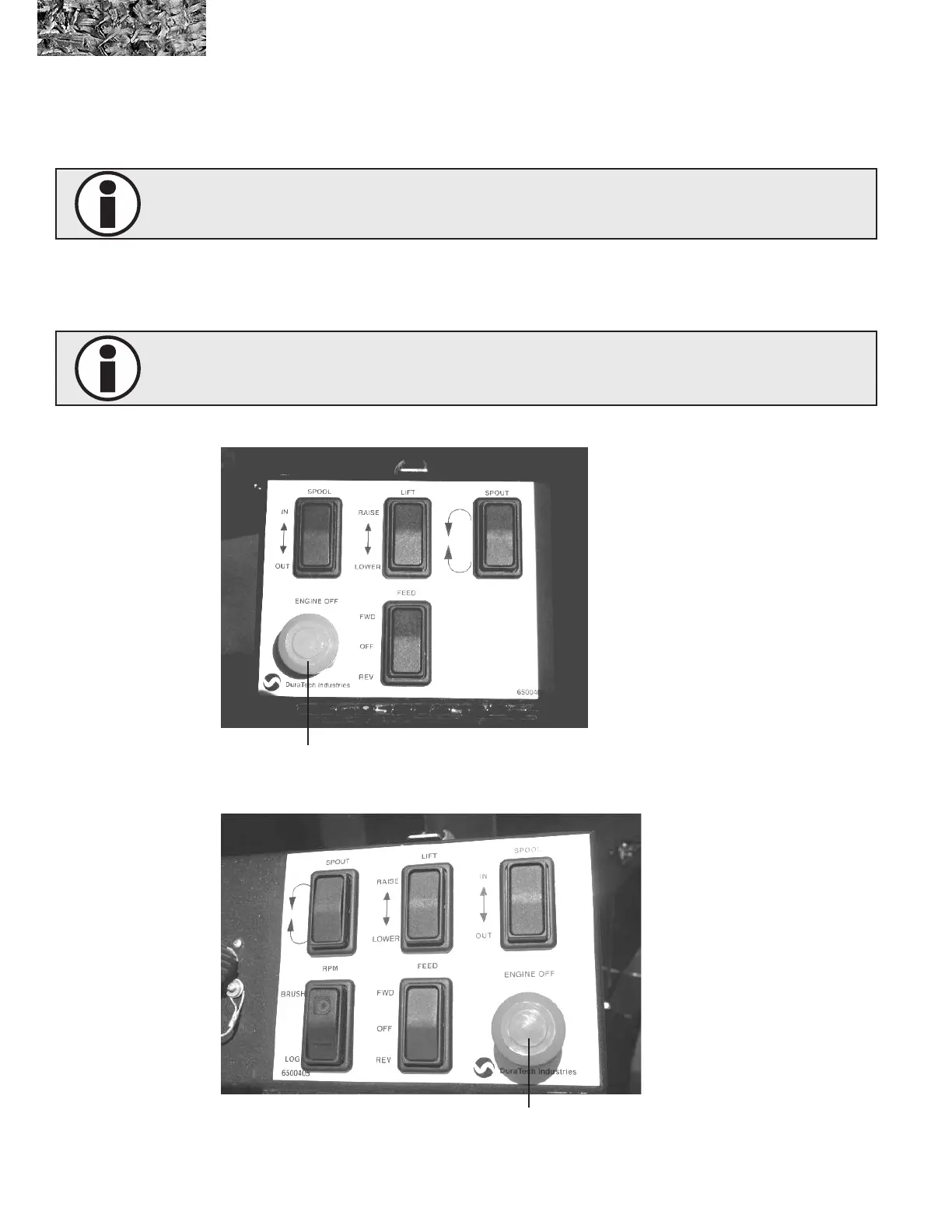
3.3 Emergency stopping
Notice: Emergency shutoff controls are for EMERGENCY use ONLY. DO NOT use the emer-
gency shutoff devices or controls for normal stopping procedure.
Emergency stop
Left Control Panel
Right Control Panel
Emergency stop



 To Next Page