CMS
3
33
enhance solo vocals or a solo instrument at specific
passages so that they stand clearly in front of the mix. For
that, you need to assign respective input channels to the
AUX bus using the AUX controls. Post-fader mode is
useful.
A very recommendable option is to use the two AUX ways
in order to record the signals of a stereo microphone po-
sitioned in front of the stage. Recordings, which are fed
only from the PA mixer, are often disappointing, because
audience reactions are completely missing and the sound
does not reflect the live performance. That is because of
the fact that particularly in small venues the acoustic out-
put or electrical signal of many musical instruments,
which by nature already have sufficient clout (such as
drums, electric guitar, etc.) gets reproduced only to a
slight degree or not at all via the public address system.
Conversely, sound recordings that only employ a room
microphone, very often sound indirect and especially the
vocals suffer from a lack of clearness and intelligibility.
The Live mode of the CMS offers the possibility to simul-
taneously record both signal sources (mixer output and
room microphone) separate from each other. During
post-production of the recording you can comfortably
match all tracks in proportion to each other.
HINT: Make sure that during recording the signals of
the room microphones are not included in the
PA mix to prevent feedback. Therefore, the fad-
ers of the „room channels“ have to be pulled all
the way down. The AUX ways, nevertheless,
have to be operated in pre-fader mode in order
to feed the signal to the DIGITAL AUDIO INTER-
FACE.
S
TUDIO: 4-TRACK RECORDING
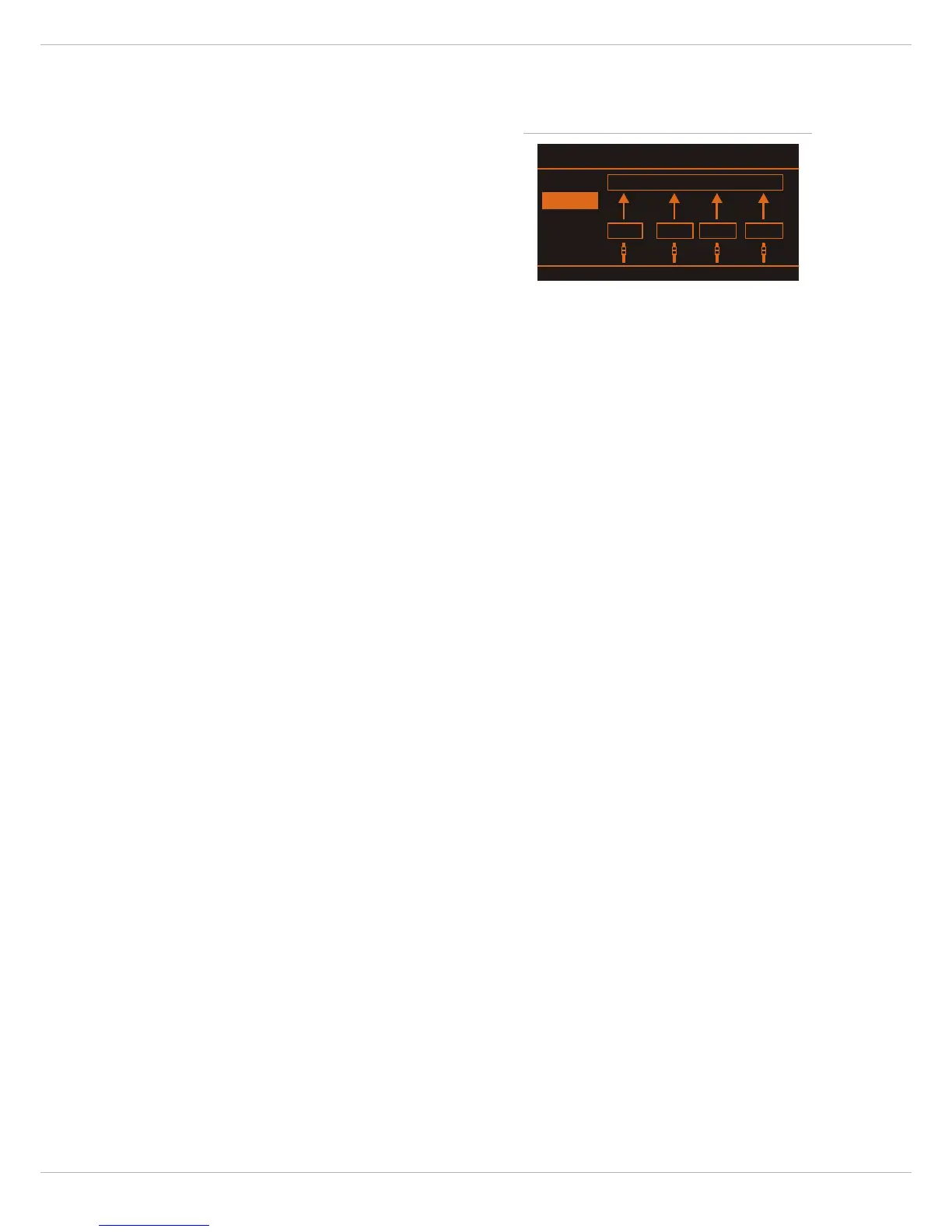
In studio mode, the four buses MON 1, MON 2, AUX 1
and AUX 2 are available to the PC/Mac in sequence on the
USB channels 1, 2, 3, and 4.
For recording you will need any multi-track recording
software, e.g. the included Cubase LE software. Notes on
how to assign recording channels 1-4 to corresponding
tracks can be found in the documentation that has been
supplied with your software.
The option of multi-assignment does not limit you to the
use of only four tracks within the software application.
Over-dubbing allows the gradual creation of almost any
number of tracks. Establishing the mix-down of the
recorded tracks as well as assigning the desired effects
processing is usually done on the PC. A very convenient
option to accomplish this is to assign the stereo master
of your software application to the playback channels
USB 1 and USB2 of the CMS.
In order to gain the full flexibility of a 4-track recording
mixer, the ways should not be used for other purposes, e.
g. for monitoring. The studio mode is mainly meant for
capturing song ideas and the production of demo
recordings in a home studio or rehearsal room. For this
application, AUX 1 and AUX 2 should be operated in pre-
mode and the graphic EQ should not be assigned to the
monitor ways. During recording, use the AUX/MON cont-
rols to assign the musical instruments that are to be
recorded at the same time to the four tracks. You can also
already combine some instruments in a pre-mix. For
example, it might be useful to combine the individual
drums of a drum-set in a single drums track. Since AUX
and MON tap the pre-fader signal, you can use the faders
on the mixer to create the monitor-mix for the musicians.
Using headphones for the monitoring is of course always
recommended, since the acoustic signal of loudspeaker
systems also affects the recording microphones. Use the
USB playback channels in order to feed the signal of al-
ready recorded tracks (overdubbing) or a click-track to
the musicians' monitor-mix during the recording.
Since you use your CMS as recording center, true zero-la-
tency monitoring is guaranteed, i. e. during the recording
of vocals or musical instruments, you create your moni-
tor-mix (headphones) directly in the mixer, without rou-
ting the audio signal first to the PC and then back again
to the mixer. Inherent to its functional principle, such an
approach is always associated with a certain run-time
delay (latency), which, if it is too high, basically renders
the rhythmic performance of a musician impossible or,
vice versa, makes very high demands on the system, if the
latency has to be imperceptibly low. The complete
description of the recording procedure goes beyond the
scope of an owner's manual, particularly since the op-
timal approach depends to a great extent on the necessi-
ties of the band members, the music style and the
preferences of the musicians.
At this point, we refer to the extensive literature available
on this topic, and would like to encourage you to explore
the comprehensive possibilities and features offered by
the CMS for the recording process for yourself.
Illustration 4-9: USB Record Routing dialog (Studio)



 To Next Page