Paging Console
24 Owner‘s Manual
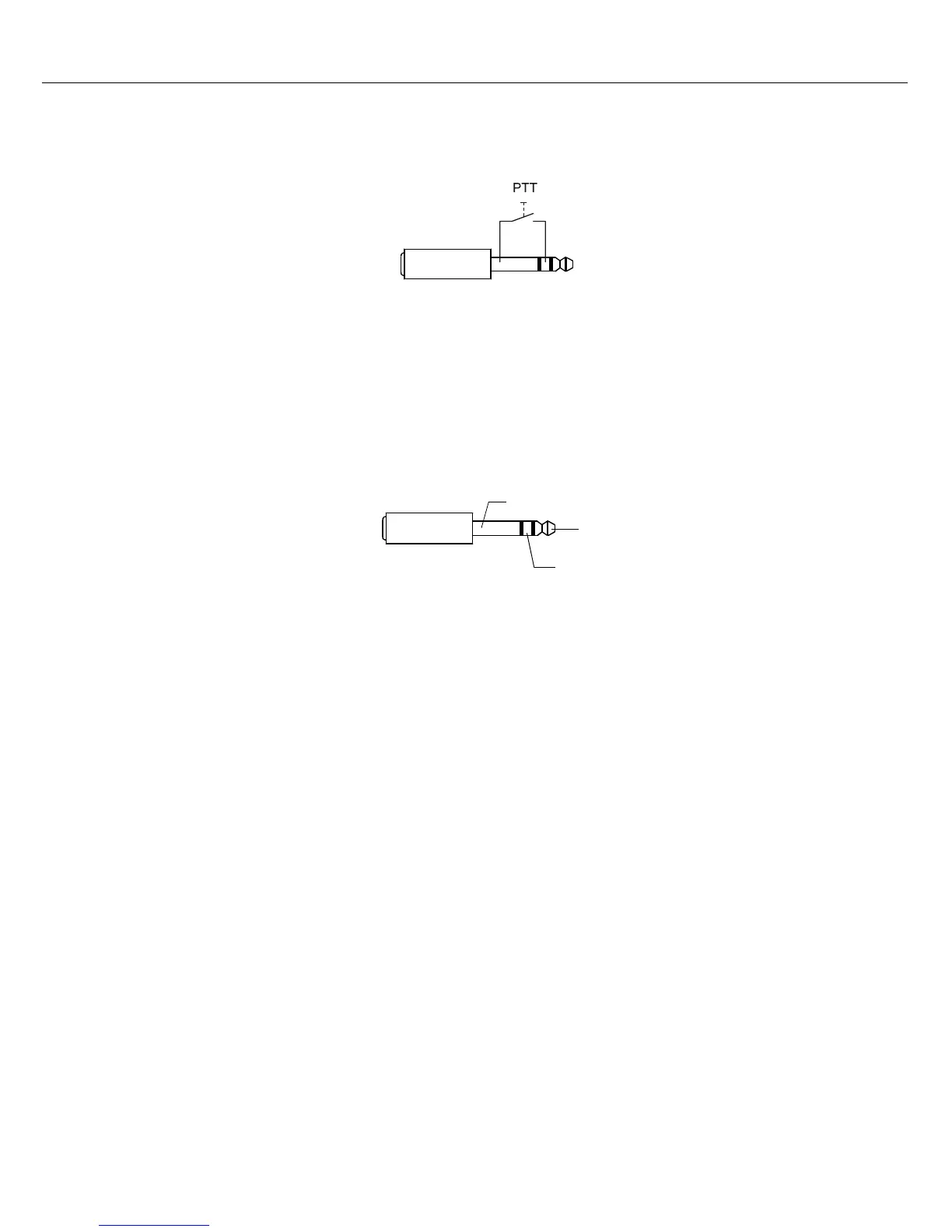
configuration via IRIS-Net software. The following figure shows the correct assignment of a 3,5 mm jack for
using the LINE interface as PTT contact input.
MIC interface
The mic interface allows connecting an external microphone. A standard „PC microphone” (V
CC
= 3,3 V)
can be used. The following figure shows the correct assignment of a 3,5 mm jack.
When using a PTT microhone the MIC interface and also the LINE interface is used.
EXT interface
The EXT interface is used for connecting a DPC 8120 paging console extension.
Illustration 4.4: Assignment of LINE interface as PTT contact input
Illustration 4.5: Assignment of MIC interface
MIC
MIC_VCC
MIC_GND


 To Next Page