Paging Console
6 Owner‘s Manual
2 Description
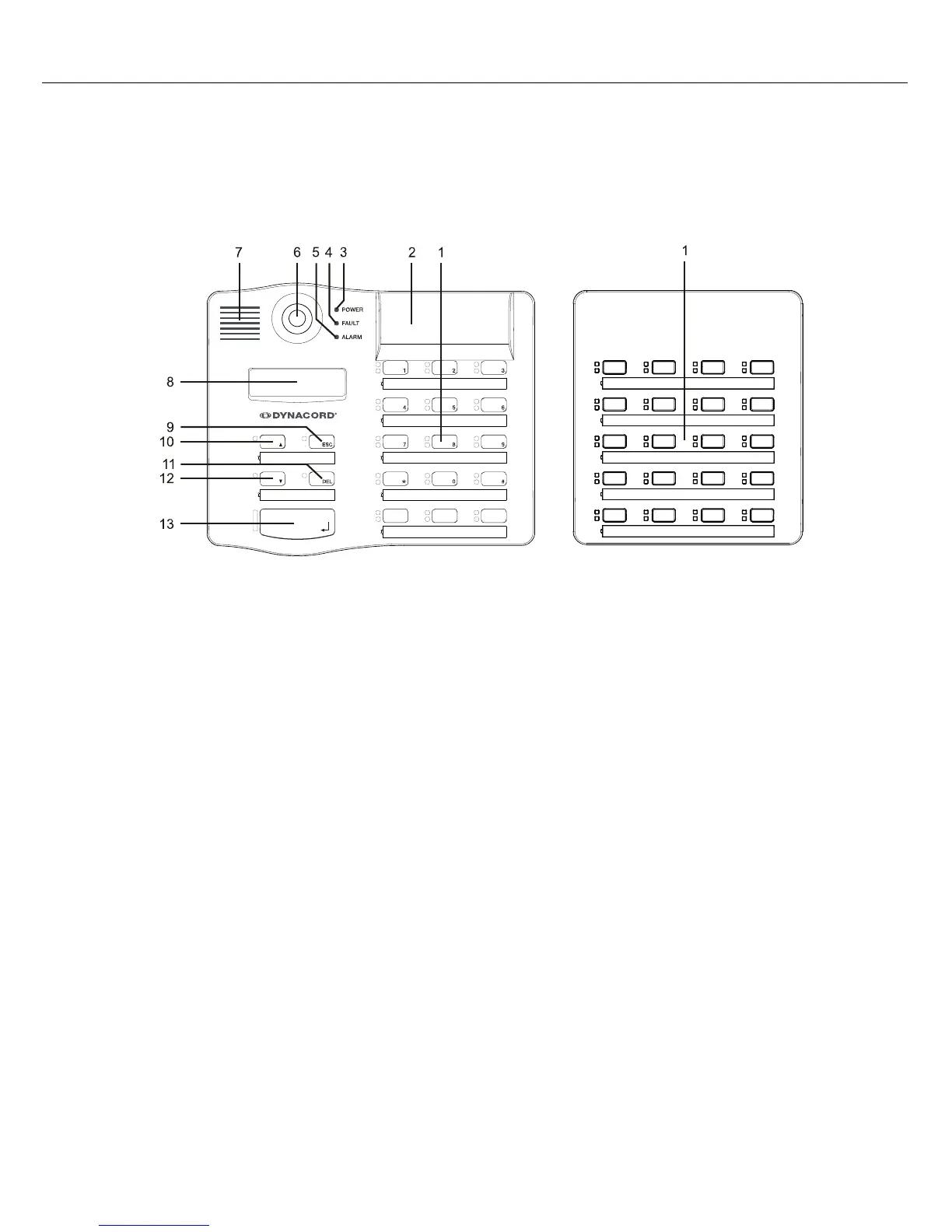
Top view
1 Selection buttons Selecting single zone or group with green/yellow LEDs
2 Optional Key-Slots For up to 3 covered buttons or key-locked switches
3 POWER LED Green if power supply active
4 FAULT LED Yellow if a fault occured
5 ALARM LED Red if alarm is active
6 Microphone Supervised goose-neck microphone
7 Speaker Playback of signal tones
8 Display Shows information on system state or error messages of the
paging console or the PROMATRIX 8000 system
9 STOP (ESC) button Cancels a signal
10
ON (
n) button
Switch on/off the PROMATRIX 8000 system
11 ALL/CLEAR (DEL) button Selects all zones and groups
12
PROGRAM (
p) button
Program assign mode for background music
13 TALK button Activates a message for pre-selected areas or groups


 To Next Page