Display Meanings
LED DISPLAY MEANINGS
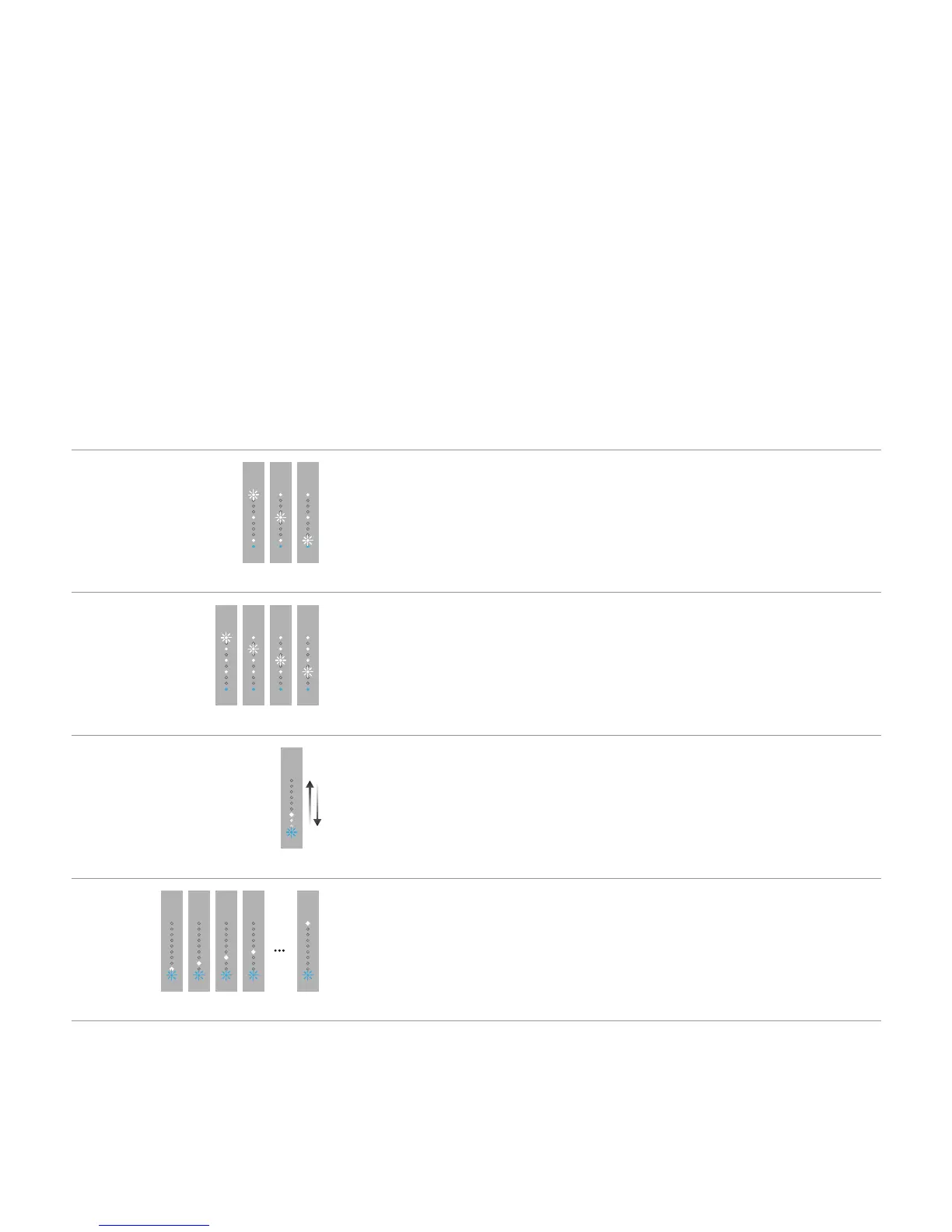
Displaying the selected Hub or Connect
One of the three LEDs ashes. LED 1 = HUB A
LED 2 = HUB B
LED 3 = HUB C
Displaying the input source
One of the four LEDs ashes. LED 1 = INPUT 1
2nd LED = INPUT 2
3rd LED = INPUT 3
4th LED = INPUT 4
Searching for an input
The blue LED ashes; the lights in the
white LEDs move back and forth.
Searching for an active input
Searching for an active input
on the hub
The blue LED ashes, the white LEDs
briey light in order.
A hub input has been selected and the hub is
searching for an active input.



 To Next Page