P14
Owner's Manual Focus XD
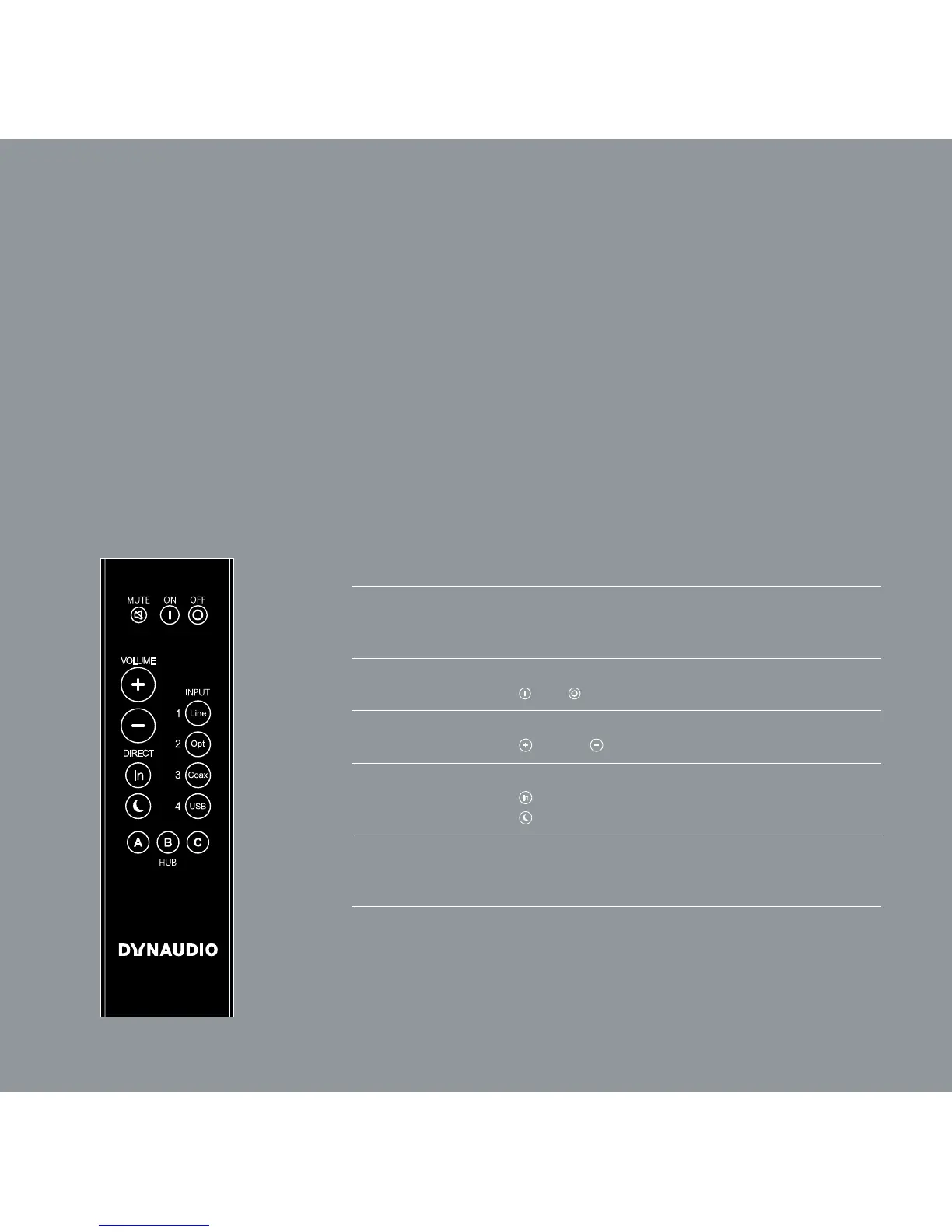
Remote control
The remote control can be used to turn the loudspeakers on and off, change the volume,
switch between digital and analog input, switch the display on or off, and select a hub and
its connected signal sources.
CONTROL ELEMENTS
MUTE
Muting the loudspeakers
Briey pressing this button will mute or unmute the selected
loudspeaker.
ON/OFF
Loudspeaker on/off
= on.
= switch to standby
VOLUME
Changing the volume
= louder. = quieter
DIRECT
Direct selection
= toggle between digital and analog input
= switch the display on/off
INPUT
1/2/3/4
Selecting the signal source
Selects one of the signal sources Line In, Optical In,
Coax In or USB In from the active hub.
HUB
A/B/C
Selecting the Hub or Connect
Selects one of three possible Hubs or Connects A, B, or C.



 To Next Page