Installation-23
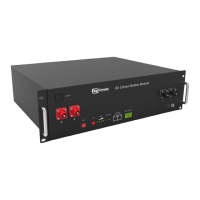
B4850
3.6 Engineering coordination
Electrical interface check
Devicesthatcanbeconnecteddirectlytothebatterycanbeuserequipment,power
supplies,orotherpowersupplies.
•
Conrmwhethertheuser’sPVpowergenerationequipment,powersupplyorother
powersupplyequipmenthasaDCoutputinterface,andmeasurewhethertheDC
poweroutputvoltagemeetsthevoltagerangerequirementsin“Tab.2.1-System
parameter”atpage13.
•
ConrmthatthemaximumdischargecurrentcapabilityoftheDCpowerinterface
oftheuser’sphotovoltaicpowergenerationequipment,powersupplyorother
powersupplyequipmentshouldbegreaterthanthemaximumchargingcurrentof
theproductsusedin“Tab.2.1-Systemparameter”atpage13.Ifthemaximum
dischargecapacityoftheDCpowerinterfaceoftheuser’sphotovoltaicpower
generationequipmentislessthanthemaximumchargingcurrentoftheproducts
usedin“Tab.2.1-Systemparameter”atpage13,theDCpowerinterfaceof
theuser’sphotovoltaicpowergenerationequipmentshallhaveacurrentlimiting
functiontoensurethenormaloperationoftheuser’sequipment.
•
Verifythatthemaximumoperatingcurrentofthebattery-powereduserequipment
(inverterDCinput)shouldbelessthanthemaximumdischargecurrentofthe
productsusedin“Tab.2.1-Systemparameter”atpage13.
Attention should be paid to the following items before construction:
•
Powerlinespecication.
Thepowerlinespecicationshallmeettherequirementsofmaximumdischarge
currentforeachproduct.
•
Mountingspaceandbearingcapacity.
Makesurethatthebatteryhasenoughroomtoinstall,andthatthebatteryrackand
brackethaveenoughloadcapacity.
•
Wiring.
Makesurethepowerlineandgroundwirearereasonable.Noteasytoshort-circuit,
waterandcorrosion.
3.7 Equipment installation
3.7.1 Installationpreparation
•
Prepareequipmentandtoolsforinstallation
•
ChecktheB4850unitandconrmthattheON/OFFswitchisinthe“OFF”stateto
ensurethedeviceisshutoff(noliveoperation).
3.7.2 Cabinetmechanicalinstallation
•
Batteryplacementpositiondetermination.
•
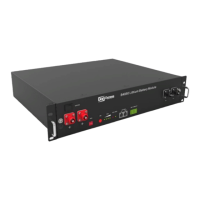
PlacetheB4850unitonthecabinetbracketasshowninthegureandpushthe
deviceintothecabinattheinstallationposition.(Thecabinetstructureinthegure
isforreferenceonly).
SecuretheB4850unittothecabinetwithanutthroughthemountingholestopon
thehangingearsoftheB4850unit.


 To Next Page