24-Installation
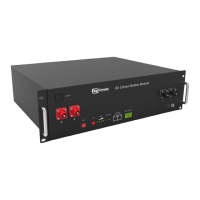
Fig.3.2-Inserimento Fig.3.3-Iinstallazione
3.7.3 Electricalinstallation
Beforeconnectingthepowercables,usemultimetertomeasurecablecontinuity,
shortcircuit,conrmpositiveandnegative,andaccuratelymarkthecablelabels.
Measuring methods:
•
Powercablecheck:selectthebuzzermodeofmultimeteranddetectthebothends
ofthesamecolorcable.Ifthebuzzercalls,itmeansthecableisingoodcondition.
•
Shortcircuitjudgment:choosemultimeterresistorle,probethesameendof
positiveandnegativepole,iftheresistorshowsinnity,meansthatthecableis
available.
•
Aftervisualtestingofpowerlineisconnection,thepositiveandnegativepolesof
thebatteryshallbeconnectedrespectivelytothepositiveandnegativepolesofthe
oppositeterminal.
•
Itisbettertoaddacircuitbreakerbetweentheinverterandthebatterysystem.The
selectionofthecircuitbreakerrequires:
Voltage:U>60V
Current:I=Inverterpower/45V
Cable connection:
1. Groundcableinstallation
2. Batterymoduleparallelcableinstallation
3. Parallelcommunicationcableconnection
Nota: TheBAT-INVcommscableisfrominvertercommporttomasterCANIN
port,BAT-BATcableisfrommasterCANOUTtoslave1CANIN,slave1CANOUT
toslave2CANIN.
Battery system self-test
1. TurntheON/OFFswitchtothe“ON”state
2. PressSWbutton3Stowakeupbattery
3. Checkthesystemoutputvoltageandledstatus
4. Shutdownthesystem


 To Next Page