providing a window into the process
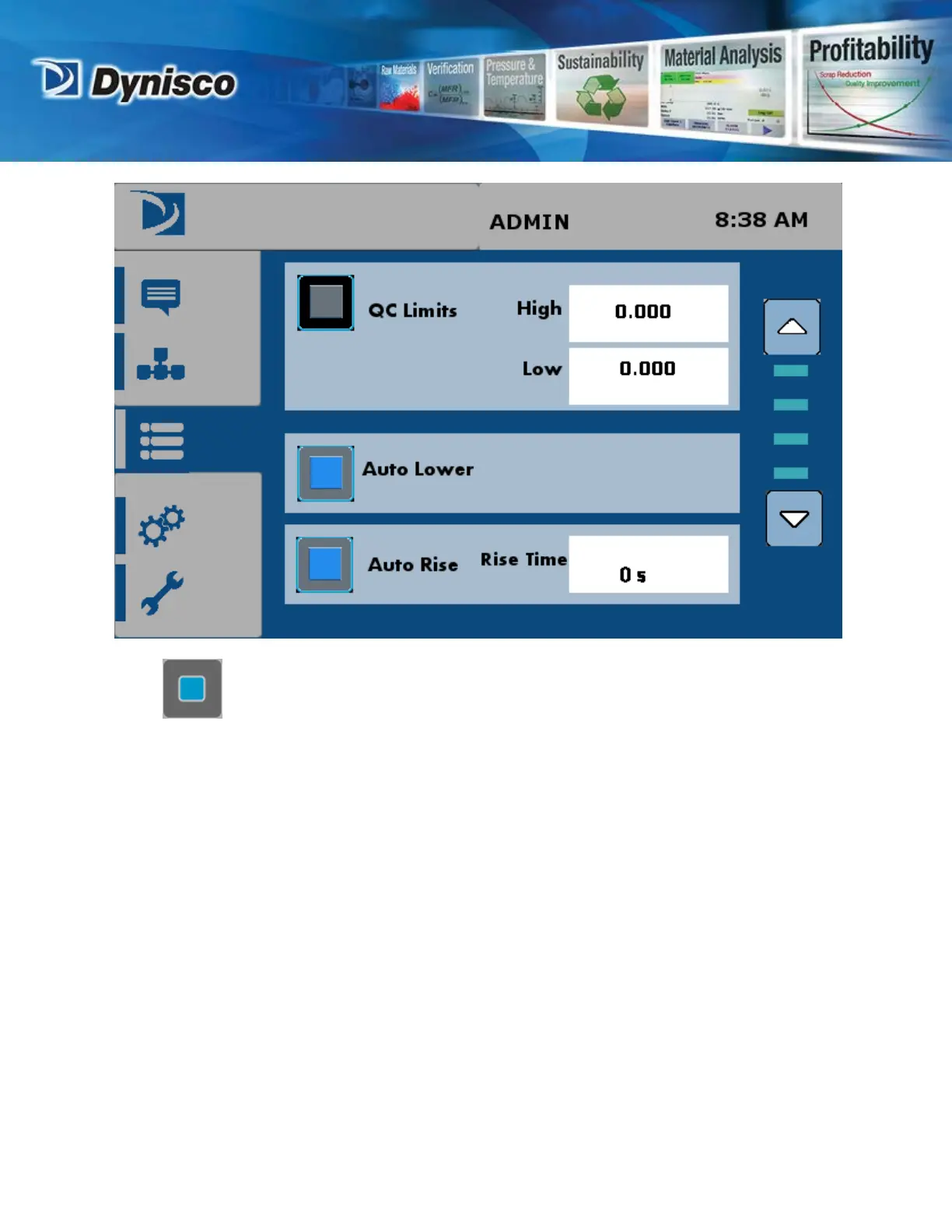
Press buttons next to each lift option to enable it.
Auto Lower
Enable to let the lift bucket lower the weight onto piston after barrel is packed with sample.
If Auto Lower is not enabled, the operator will have to press a screen prompt to lower the
weights and weight bucket during a test.
Auto Raise
Enable to let the lift bucket raise the weight off piston after the test has ended automatically. If
Auto Raise is not enabled, the operator will have to press a screen prompt to raise the weights
and weight bucket.
Enter any delay time as required in the box next to “Rise Time”. The “Rise Time” delay will
expire before the lift is raised. A raise delay can be used to “Purge” the barrel of remaining
material after a test.
P/N: M0726(3) | Rev: 012020 | ECO: 51182
www.dynisco.com


 To Next Page