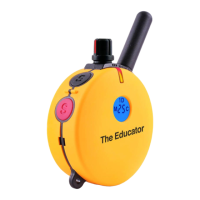
Blinking 1D or 2D icons indicates the
vibration level is ready for adjustment.
Solid icon indicates vibration level
locked.
Displays the Vibration Level : “0” means
no vibration and “HI” means the highest
vibration level(100)
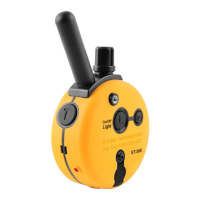
Momentary / Continuous Button "M/C"- M/C Button on the backside of
the transmitter allows the user to easily switch between two vibration
modes either momentary or continuous.
PG300/302 Owner’s Manual
302 LCD DESCRIPTION
18
Button Vibration Mode (1D or 2D)
TS(Vibration)
or Tone
M/C Button Momentary Mode Continuous Mode N/A
Display
S (Black) Dog 1 Momentary Dog 1 Continuous
Dog 1 TS (Vib)
or Tone
S(Black) + S(Red)
S (Black)+ S(Red)
Dog 1 Momentary
Booster
Dog 1 Continuous
Booster
N/A
Dog 2 Momentary
Booster
Dog 2 Continuous
Booster
N/A
N/A
S (Red) Dog 2 Momentary Dog 2 Continuous
L
"L" in Dog 1 set mode will control Dog 1 light
"L" in Dog 2 set mode will control Dog 2 light
Dog 2 TS (Vib)
or Tone


 To Next Page