PG300/302 Owner’s Manual
21
HOW TO LOCK/UNLOCK THE
VIBRATION LEVEL
How to Lock/Unlock the Vibration Level
See page 13 for help finding the proper vibration level.
You can lock each dog to a different level.
In 1 Dog Mode, if you see “1D” icon is blinking (unlocked)
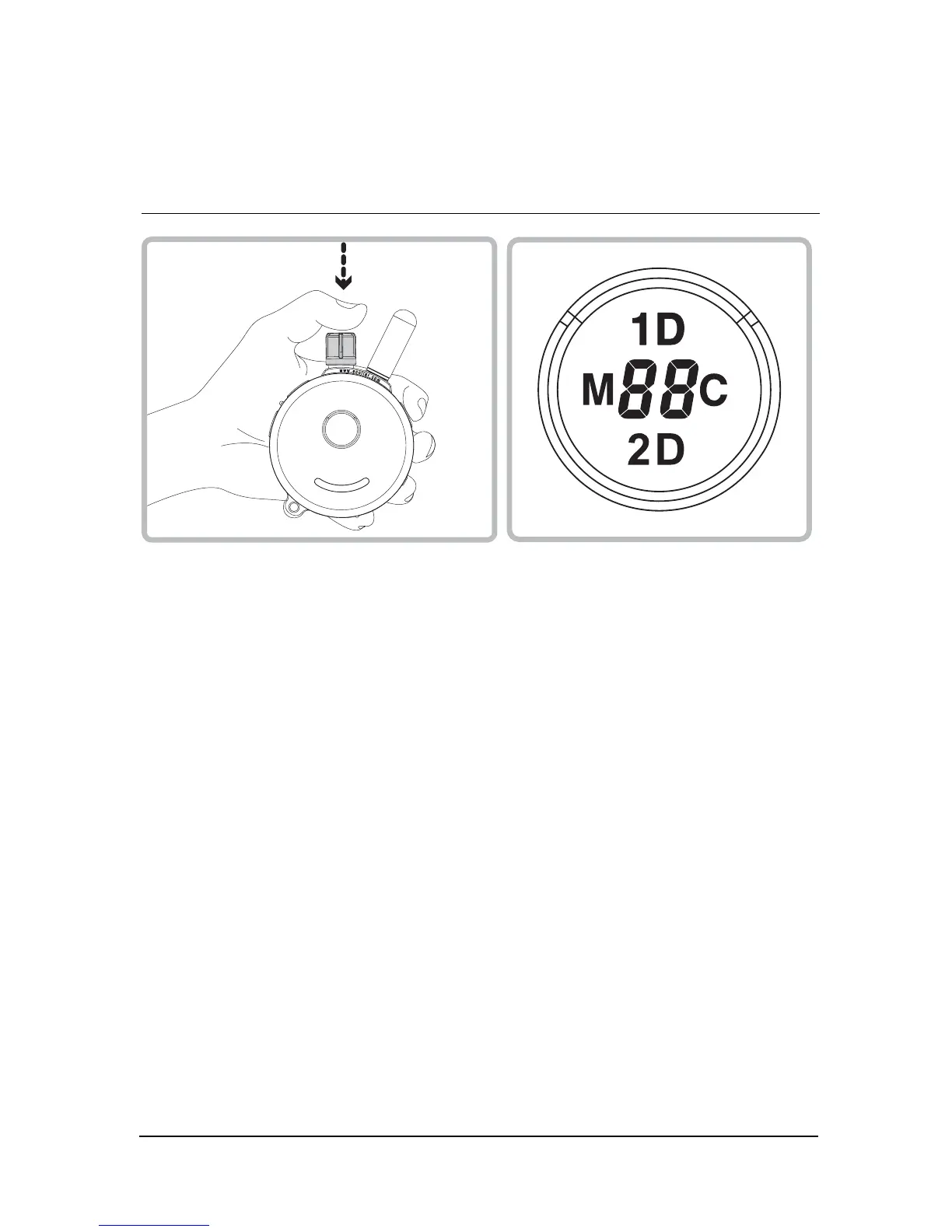
Set the desired vibration level and then press the vibration dial until
you see “1D” icon stop blinking.
In 2 Dog Mode, if you see “2D” icon is blinking (unlocked)
Set the desired vibration level and then press the vibration dial until
you see “2D” icon stop blinking.
If the vibration level does not change when you rotate the vibration
dial, you have successfully locked the vibration level. To unlock the
vibration level simply press the vibration knob again at 1Dog/2Dog
mode and it will unlock the vibration level.


 To Next Page