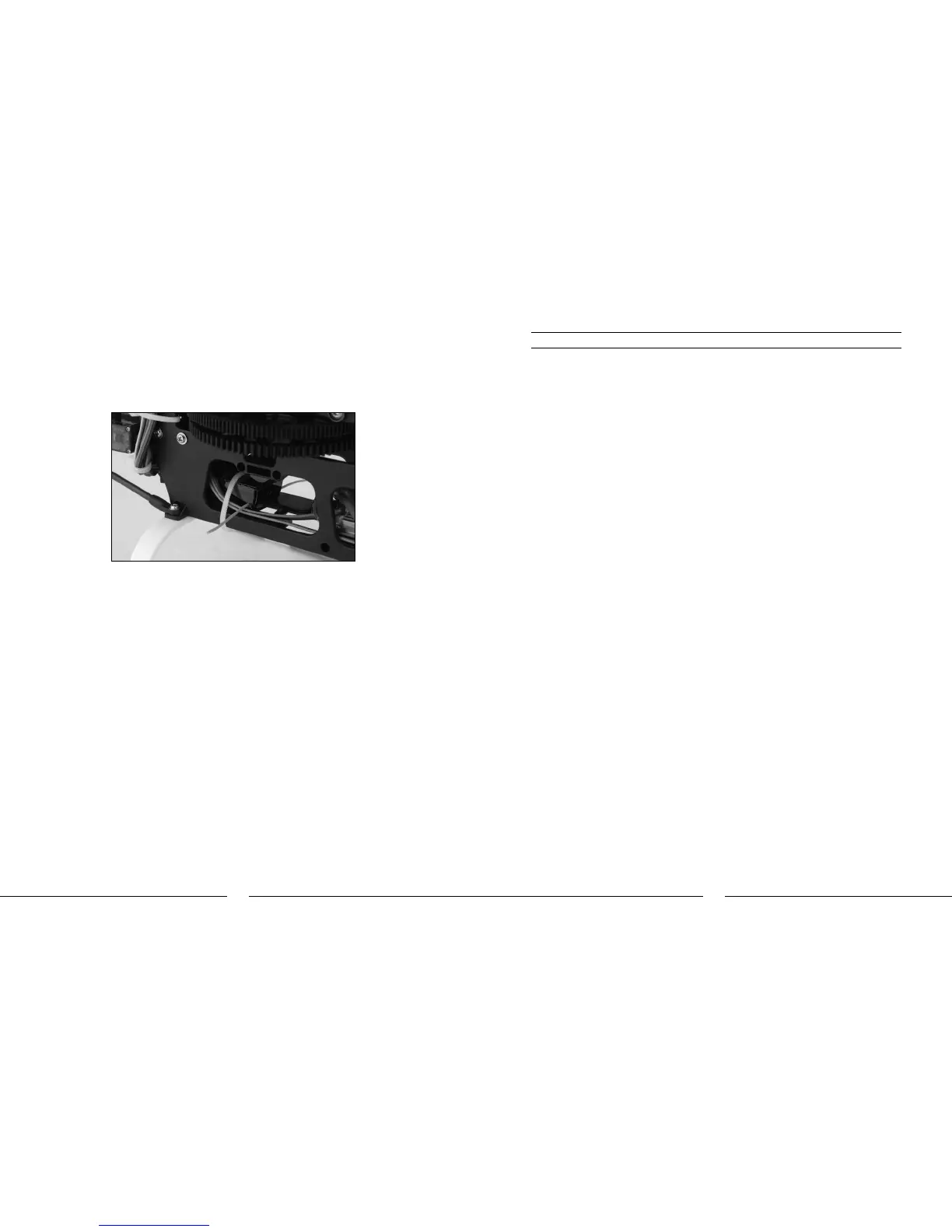
o After connecting the wire leads to the receiver, remove the remaining paper backing from the
two-sided tape on the receiver. Then, carefully route the antenna(s) and receiver into the rear of
the main frame. Fasten the receiver in place on the mounting plates of the frame and use one of
the included zip/cable ties for added security. However, be sure not to tighten the zip/cable tie
too much as it could damage the case of the receiver.
o Once the receiver is mounted securely, route the antenna(s) per the instructions included
with the receiver. In the case of the Spektrum AR6100e receiver, be sure that both antennas
extend outward (to the left and right of the helicopter) as much as possible for the best overall
performance. Be sure to check the position and orientation of both antennas before each flying
session, especially if the helicopter was taken out of a box or carrying case.
If using a 72MHz receiver, you can install an optional antenna tube in the clips located on the inside
of the landing gear struts. Route the antenna through the antenna tube and be certain to secure any
excess length of the antenna to prevent it from coming into contact with any moving parts on the
helicopter.
Transmitter Setup
A 6-channel or greater transmitter with helicopter and 120-degree CCPM programming is required.
We recommend the use of a DSM equipped 2.4GHz transmitter such as the Spektrum DX6i, DX7 or JR
X9303 2.4.
The following initial settings are suggested for the recommended transmitters, however, these settings
will also be similar for other brands/models of transmitters. All settings/values other than those
shown should remain the same as a new default helicopter model in your transmitter’s programming.
Also, some settings such as dual rates, exponential, gyro sensitivity/gain and others may need to be
adjusted depending on personal preference, flying style and/or flight performance of your actual
model.
Spektrum DX6i
In the “Adjust” list (ADJUST LIST):
Dual Rate and Exponential (D/R&EXPO)
AILE 0 100% + 20%
ELEV 0 100% + 20%
RUDD 0 100% + 35%
AILE 1 80% + 15%
ELEV 1 80% + 15%
RUDD 1 70% + 25%
Note: These values serve only as starting points. It may be necessary to decrease or increase the
values per your preference.
Travel Adjustment (TRAVEL ADJ)
RUDD <- 90% -> 90%
Gyro Sensitivity (GYRO)
RATE SW – GYRO
0: 67.5%
1: 65.0%
Note: These values serve only as starting points. It may be necessary to decrease or increase the
values in order to achieve the proper gain setting value.
Throttle Curves (THRO CUR)
POS L POS 2 POS 3 POS 4 POS H
NORM 0.0% 25.0% 50.0% 75.0% 100.0%
STUNT 100.0% 92.5% 85.0% 92.5% 100.0%
HOLD - 0.0%
Pitch Curves (PITC CUR)
POS L POS 2 POS 3 POS 4 POS H
NORM 35.0% 42.5% 50.0% 75.0% 100.0%
STUNT 0.0% 25.0% 50.0% 75.0% 100.0%
HOLD 35.0% 42.5% 50.0% 75.0% 100.0%
Note: In order to perform auto-rotations, it will be necessary to set the POS L value for HOLD to
25.0% or less.



 To Next Page