24
9. CAN/USB converter and driver
For transmission of a complete or modified PowerPlex
®
configuration to a PowerPlex
®
Compact Module and
other PowerPlex
®
hardware, you must connect your configuration PC with the PowerPlex
®
network (CAN bus).
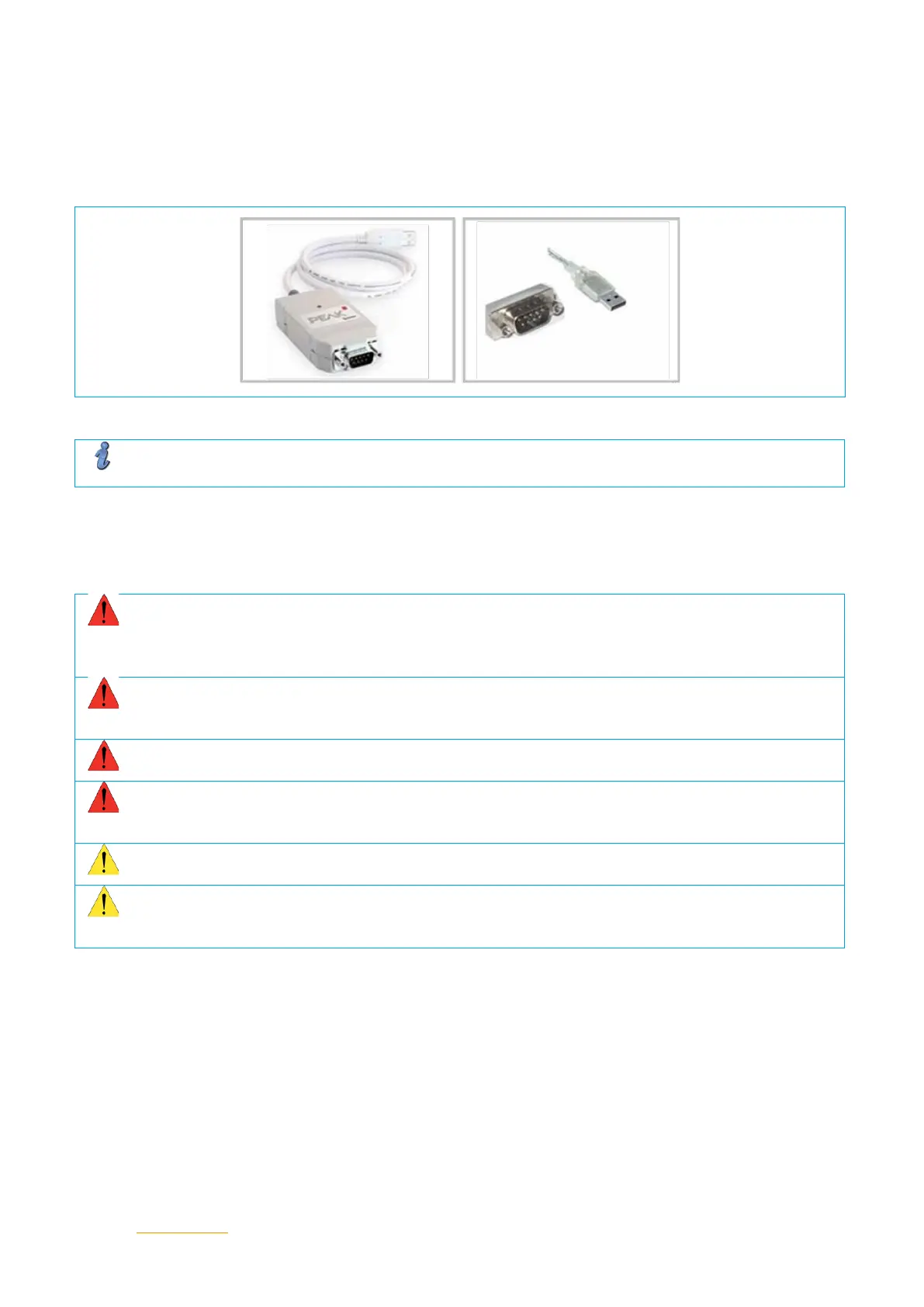
The following USB/CAN adapters are supported by the PowerPlex
®
software: CAN/USB-light adapter von
Sontheim, PEAK USB, PEAK PC.
Fig. 11: CAN/USB converter (example: Peak)
Note
The driver of the selected CAN/USB adapter must also be installed on the configuration PC.
10. Important information and safety instructions
The following table lists various information and safety instructions for start-up and use of the module.
Warning: Installation and operation of the module
This device must be installed and operated in compliance with the given instructions. Failure to observe
the instructions can cause personal injury, damages of the boat or vehicle or reduced operational
performance.
Warning: Switch off main switch
Before starting installation, the main switch of the boat or vehicle has to be switched off. A cable
connection must only be established if the main switch is OFF.
Warning: Possible ignition hazard
The device must NOT be used in inflammable surroundings.
Warning: high voltage
The cover must NEVER be opened. Access to the inner components is not allowed unless indicated
otherwise in this manual.
Caution Grounding
The device must be grounded before switching on.
Caution Water ingress
Disclaimer of warranty in the event of water ingress. Waterproofness of the module depends on the
correct installation. E-T-A does not accept any liability in this case.
Table 15: Important information
EMC installation directives
The PowerPlex
®
hardware and accessories comply with the EMC directives. Thus electromagnetic interferences
between the devices are avoided which would otherwise affect the system performance. A professional installation
is mandatory. To ensure the best EMC conditions, the widest possible distance between the different electrical
devices should be applied.
Technical Accuracy
All technical data in this manual were correct in all conscience at the time of printing. E-T-A cannot be held liable
for any (inadvertent) errors. Due to continuous product improvements at E-T-A there could be discrepancies
between the actual product and the manual. Product changes or amendments of the technical specifications will
be carried our without prior notification. The latest versions of the PowerPlex
®
manuals are available on our
website (www.e-t-a.de).


 To Next Page