Auto-close override
Action Response
1 x long beep and gate starts closing.
Party mode
Av ailable in all but Complex Auto-close mode.
1. With the gate at any open position
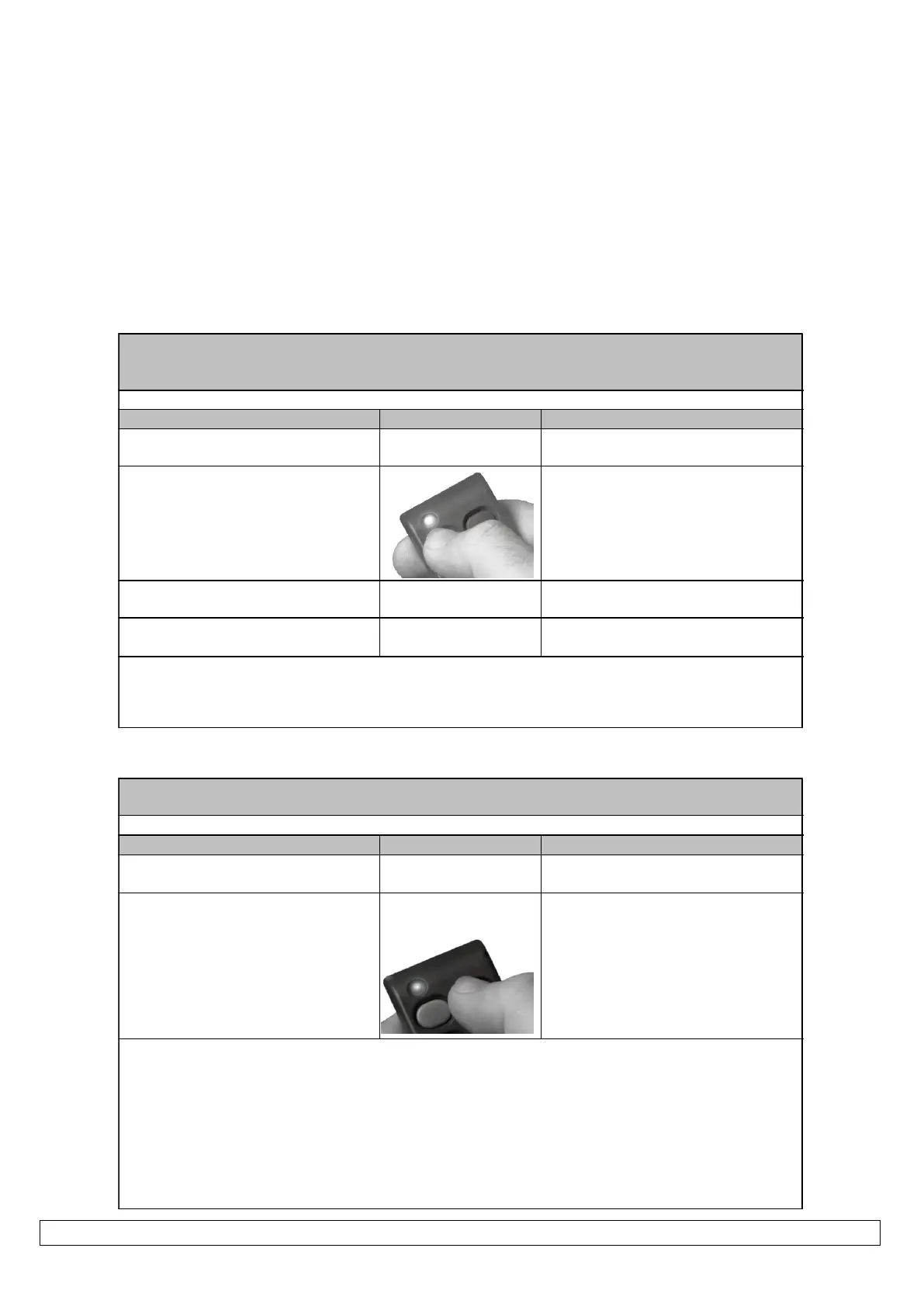
2. Press and hold any TX (transmitter)
BT (full opening) button
After 5sec unit will emit Multiple rapid
beeps to confirm.
3. Release input after beeps
Gate will not begin closing after auto-
close time has expired.
4. To deactiv ate repeat 2 and 3
abov e
If any PED (Pedestrian) or BT (full opening) input is momentarily activ ated while the unit is in either Holiday
lock-out or Auto-close ov erride/Party mode the unit will only emit the multiple rapid beeps and not run the
gate.
Action Response
Pedestrian opening
Available in all modes.
1. Gate in closed position
2. Press and release any PED
(pedestrian) input.
A) 3 x 1sec beeps after which gate opens
to pedestrian opening position.
B) At pedestrian opening position
pedestrian auto-close timer times out.
C) 3 x 1sec beeps after which gate re-
closes.
Any further PED (pedestrian) input triggers while the gate is running are ignored except in the pedestrian
opening position, where the auto-close timer will simply reset.
Any BM (beam) input while the pedestrian routine is running will cause the gate to continue to the pedestrian
opening position or rev erse back to the pedestrian opening position. If already in the pedestrian opening
position, the auto-close timer will simply reset.
Any BT (full opening input while the pedestrian routine is running will open the gate to the full open position
and the unit will rev ert to the operating mode selection that has been setup.


 To Next Page