- 17 -
3.2 Basic Machine Operation
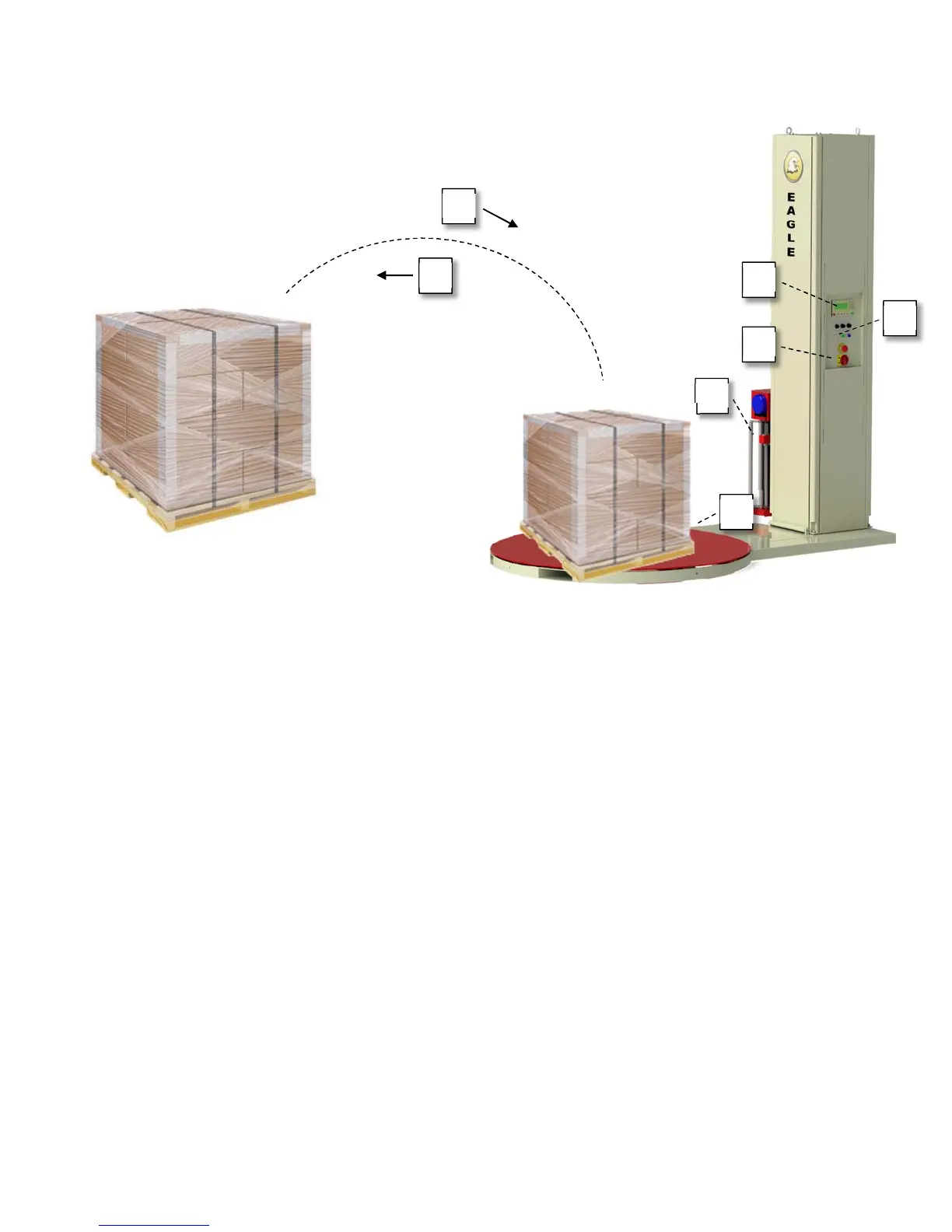
Step 1 – Turn on the power to the machine.
Step 2 – Using the Screen Controller, select a job mode.
Step 3 – Place the load to be wrapped onto the turntable.
Once the load has been placed onto the turntable and detected, the screen notifier
will change from “No Load Detected” to “Machine Ready”.
Step 4 – Connect the loose end of the stretch film to the bottom of the load (ie: corner of the pallet)
Step 5 – Press the start button to begin wrapping the load.
Step 6 – Once the job finishes, split the film between the stretch wrapper and the now wrapped
load and secure any loose ends of film.
Step 7 – Remove the load from the turntable and place the next load onto the turntable.
Repeat steps 2-7 as required
1
2
3
4
5
6
7



 To Next Page