124
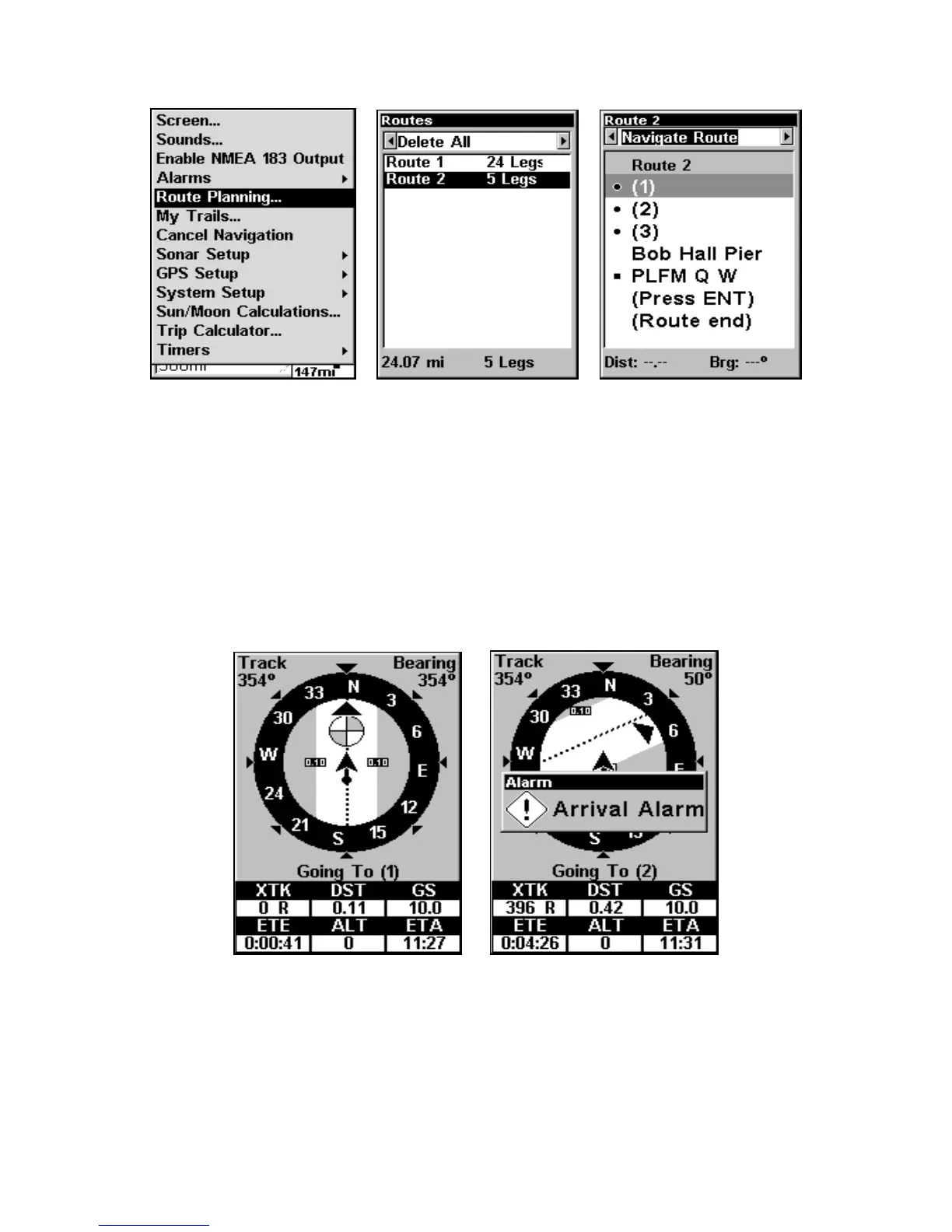
Route Planning command on Main Menu (left). Routes menu (center);
Edit Route menu (right). Navigate Route command is selected.
2. Press ↓ to select route name|ENT|ENT.
3. Upon arrival at your destination, cancel navigation:
press
MENU|MENU|↓ to CANCEL NAVIGATION|ENT|← to YES|ENT.
The following figures show what the Navigation Page and Map Page
look like while navigating a route.
Fig. 1 shows the Navigation Page at the start of a route, heading
straight for the first waypoint (Wpt 1). In Fig. 2, the traveler has arrived
at Wpt 1; the arrival alarm has been triggered and the bearing arrow on
the compass rose has turned to point toward Wpt 2, off to the northeast.
Figure 2.
Figure 1.





 To Next Page