150
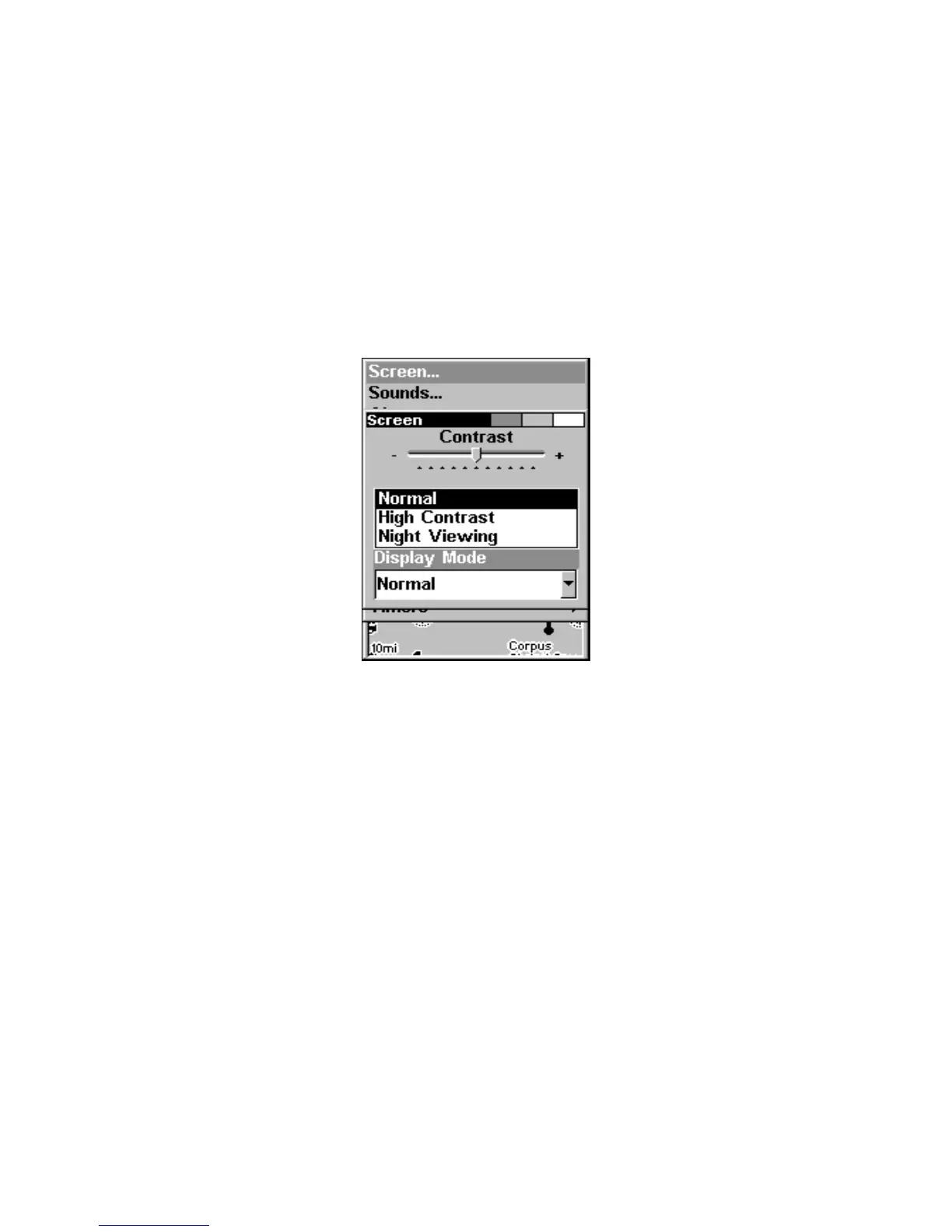
To adjust the display's brightness:
From the screen menu, press ↓ to
BRIGHTNESS. Press ← → to move the
bar. The left end of the scale is minimum contrast. The right end is
maximum contrast.
To adjust the screen's display mode:
From the screen menu, press ↓ to
DISPLAY MODE|ENT|press ↑ or ↓ to se-
lect mode|
EXIT.
Display Mode menu.
Set Language
This unit's menus are available in 10 languages: English, French, Ger-
man, Spanish, Italian, Danish, Swedish, Russian, Dutch and Finnish.
To select a different language:
1. Press
MENU|MENU|↓ to SYSTEM SETUP|ENT.
2. Press ↓ to
SET LANGUAGE|ENT.
3. Use ↓ ↑ to select the desired language and press
ENT. All menus now
appear in the language you selected.
Set Local Time
Using the local time setting is handy when estimating arrival time. The
time and date are saved when a waypoint is created.




 To Next Page