156
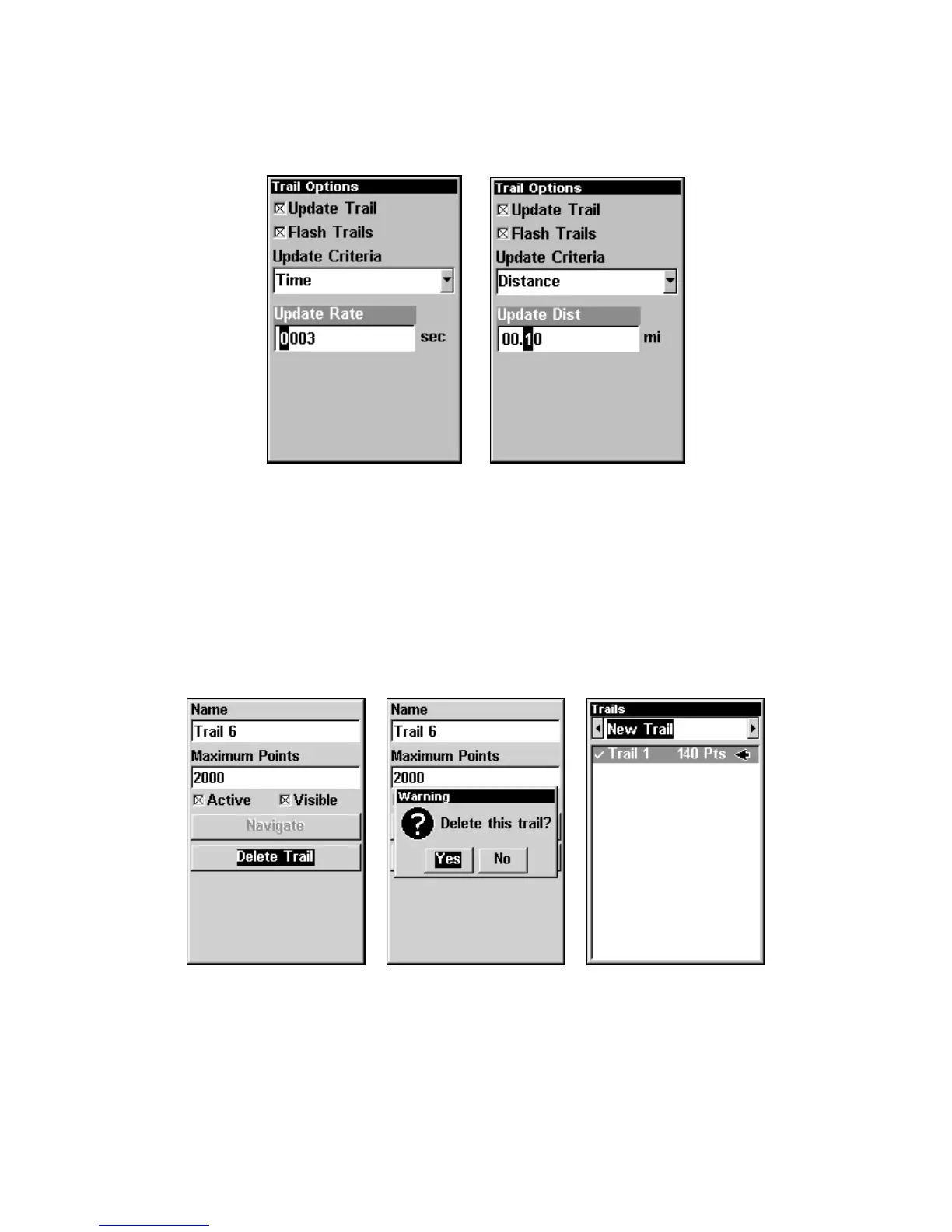
Press ↑ ↓ to change the first character, then press → to the next char-
acter and repeat until the entry is correct, the press
EXIT.
Trail Options menu with Update Rate setting (left)
and Update Distance setting (right).
Specific Trail Options
Delete Trail
To delete a specific trail: From the Trails Menu, press ↓ to Trail
Name|
ENT. The Edit Trail menu appears as seen in the following fig-
ure. Press ↓ to
DELETE TRAIL|ENT|← to YES|ENT.
Edit Trail menu (left) with Delete Trail highlighted. Delete Trail con-
firmation message (center). New Trail selected on Trails menu (right).



 To Next Page